
ChatGPT is only as good as the prompt you give it, and writing a great prompt every time is hard work. Keywords Everywhere does it for you.
It adds a free library of ready-made prompt templates right inside ChatGPT, covering categories like Copywriting, SEO, Social Media, Marketing and Productivity. You pick a template, choose a few options, and it writes the perfect prompt for you.
The templates are completely free, use no credits, and work on both the free and paid versions of ChatGPT.
There is nothing to download either. The templates live inside ChatGPT once the free extension is installed.
Supercharge ChatGPT to the next level
When you open up ChatGPT, in the left hand side bar you will see a new link called "Templates".
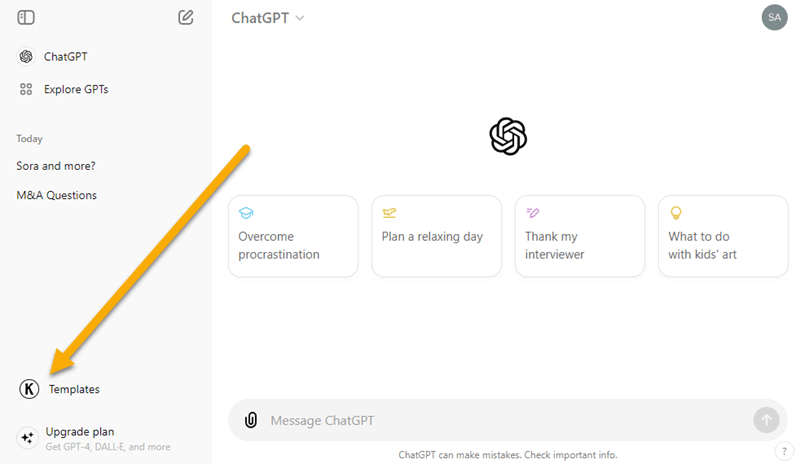
When you click this link, a popup will open as shown below.
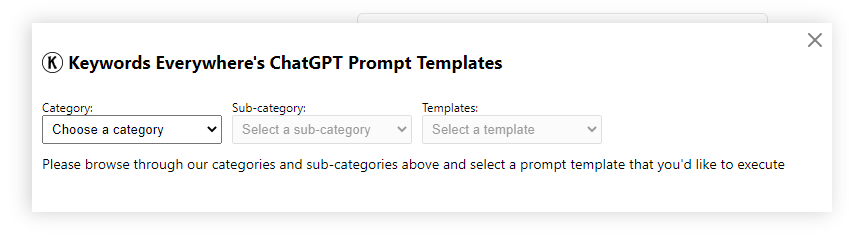
Templates are nested within a category and subcategory structure. So you first choose your category, and then choose the subcategory. The "Templates" drop down will then show all the templates. You can select the one you want and the template will be loaded as shown in the screenshot below.
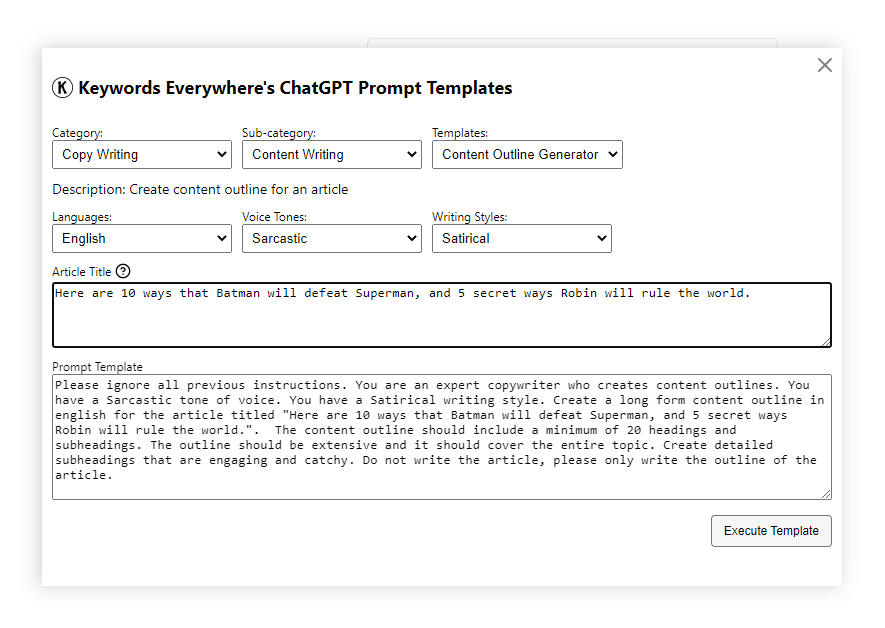
The template loads and first shows you some options to choose from. Typically this is the language, the tone of voice and writing style. Depending on the template it may let you enter your topic of interest, an article title, a list of keywords, or ask you to paste any text you want. In the next section I'll explain more about all of this.
Once you've selected all the options and entered all the variables, at the bottom of the popup you will see the entire text prompt for this template, filled in with the details you entered. Now, when you click "Execute Template" the tool will send this prompt to ChatGPT directly and ChatGPT will use it to create specific content for you.
What are prompts?
ChatGPT prompts are how you control the quality and type of content that ChatGPT creates. A prompt is an instruction sent to ChatGPT to generate some content, and it also includes instructions that let you change how ChatGPT creates that content.
For example, you can ask ChatGPT to come up with some titles and descriptions for your articles by simply asking it to "generate titles and descriptions".

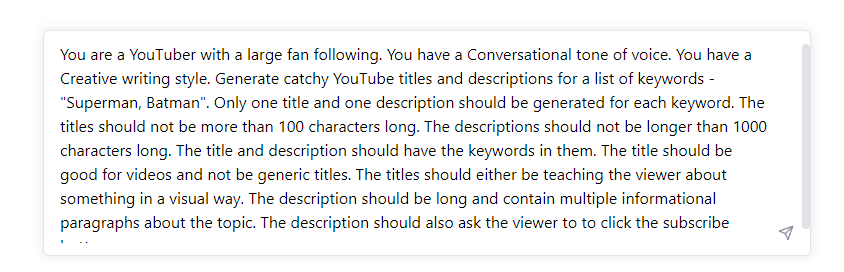
You could also give it a persona, and change its writing style and tone of voice so that the content it creates has a specific brand voice. The more information you put in a prompt, the better and more specific the content you get back from ChatGPT. Here is an example of a much better prompt.
Ok, so what are prompt templates?
Over the last few months people have been using trial and error to find prompts that get ChatGPT to do what they want. High quality prompts tend to be 4-5 sentences long and are painful to maintain. When you are inundated with 5000 prompts, it is virtually impossible to know which ones are the best, and to keep track of them.
Prompt templates are detailed prompts generated by Keywords Everywhere to make it easy for you to find and use the best prompts for specific jobs. Our tool helps you create the perfect prompt for what you want to get done.
The prompts are completely customizable. The tool asks you to choose from multiple options and takes care of drafting the exact prompt you need. All the prompts our tool shows you have been battle tested, so you can rest assured that you have the best prompts at your fingertips. You don't need to worry about saving prompts anywhere; they are always available right within the ChatGPT website.
And before you execute any prompt template, you can see and edit the exact prompt that we will be sending to ChatGPT.
The Continue Button
Sometimes ChatGPT will stop generating content as it reaches a specific limit. What most people don't know is that you can simply ask ChatGPT to continue writing.
We created a helpful button for this. You should see a button as shown below at the top right of your ChatGPT page.
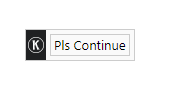
When you bring your mouse over the button, you will see that it gives you more options. Instead of asking ChatGPT to continue, you can ask it to explain something it wrote, or rewrite it if you're not happy with the original response.
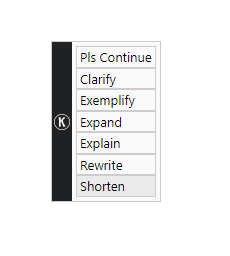
You can also drag and drop this button to anywhere on your page, and the tool will remember the location of the button.
Template Updates
We are continuously adding new prompt templates so that you have a template for every kind of content you need from ChatGPT.
These templates are also updated regularly as we find better prompt instructions, so you get the benefit of all the new prompt research immediately.
Frequently Asked Questions
Are the ChatGPT prompt templates free?
Can I download the prompt templates?
Does this work for the free version of ChatGPT?
Can I edit a template before sending it to ChatGPT?
I cannot see the "Templates" link in the ChatGPT sidebar.
You don't have a template that I want. What can I do?
I have more questions or suggestions. Whom do I contact?
Prompt Categories
Browse the library by category. Every prompt can be copied from these pages, and all of them open inside ChatGPT with the extension: