
SEO Minion: On-Page SEO, Broken Links, SERP Preview and More in Your Browser
A free browser extension by Keywords Everywhere for your daily SEO tasks: analyze any page, check its links and hreflang tags, preview and compare Google results across locations, and pull People Also Ask questions straight from the SERP.
Included with the Keywords Everywhere Silver, Gold and Platinum plans. How to set it up. Watch the two-minute overview.
Everything SEO Minion does
Twelve tools in one sidebar, on any page you open and on the Google results page.
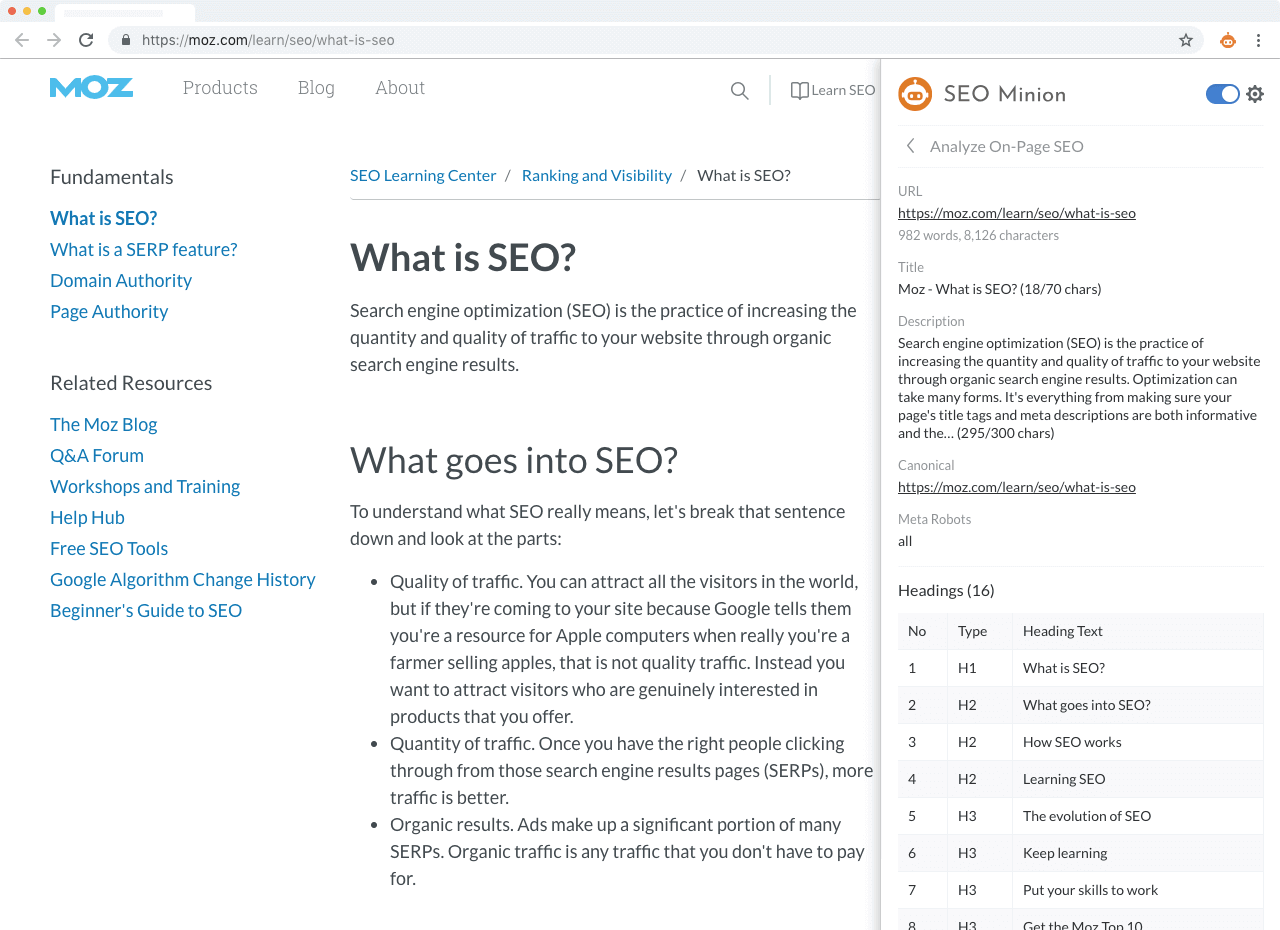
Analyze On-Page SEO
Meta tags, headings, Open Graph, canonical and robots settings of any page, in one panel.
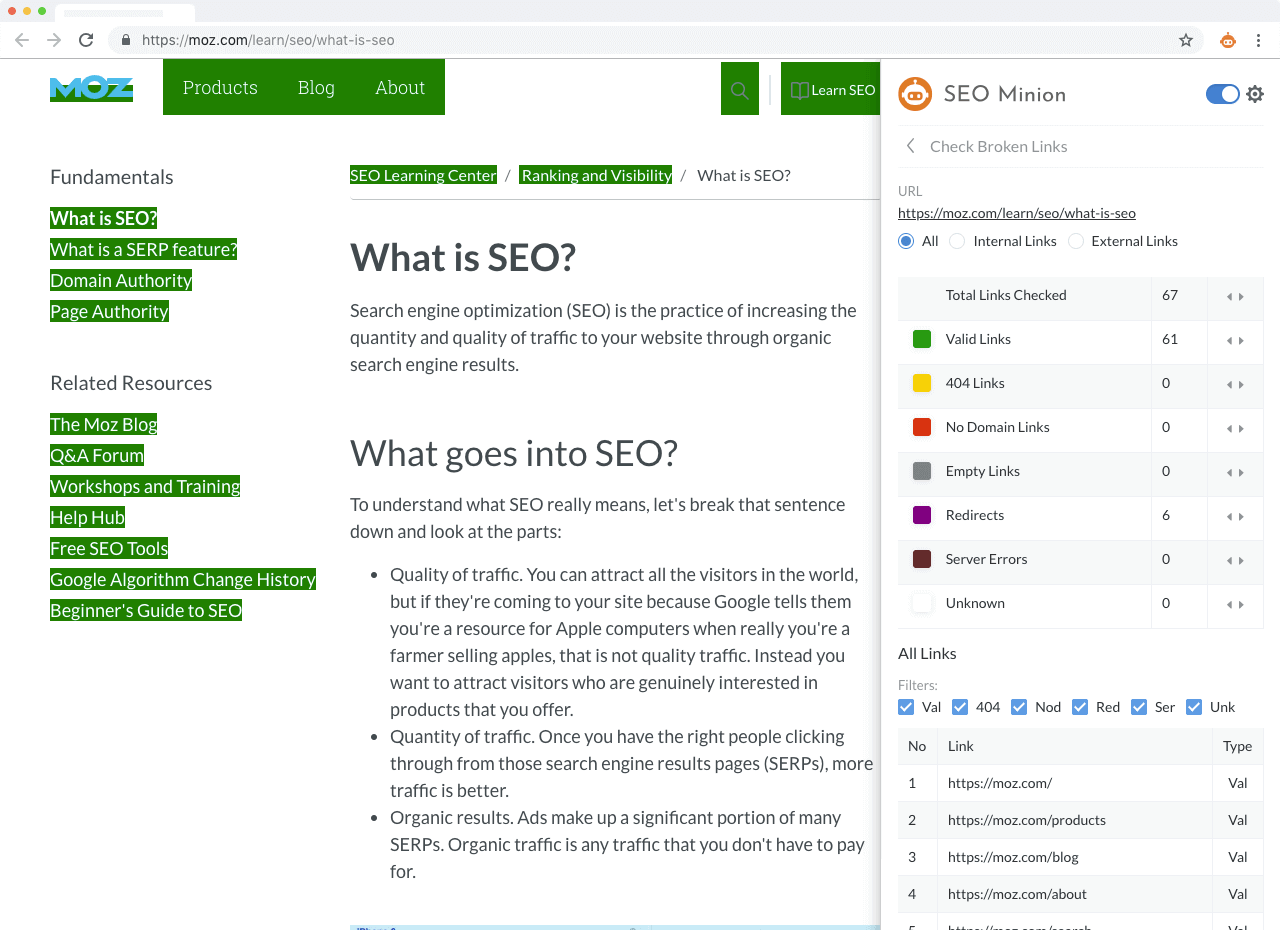
Check Broken Links
Every link on the page checked and grouped by status code, with a download of the list.
Highlight Links
Highlight all links on a page and filter them by internal or external, follow or nofollow.
Check Redirects
The full chain a URL takes: server redirects, meta refresh and JavaScript redirects.
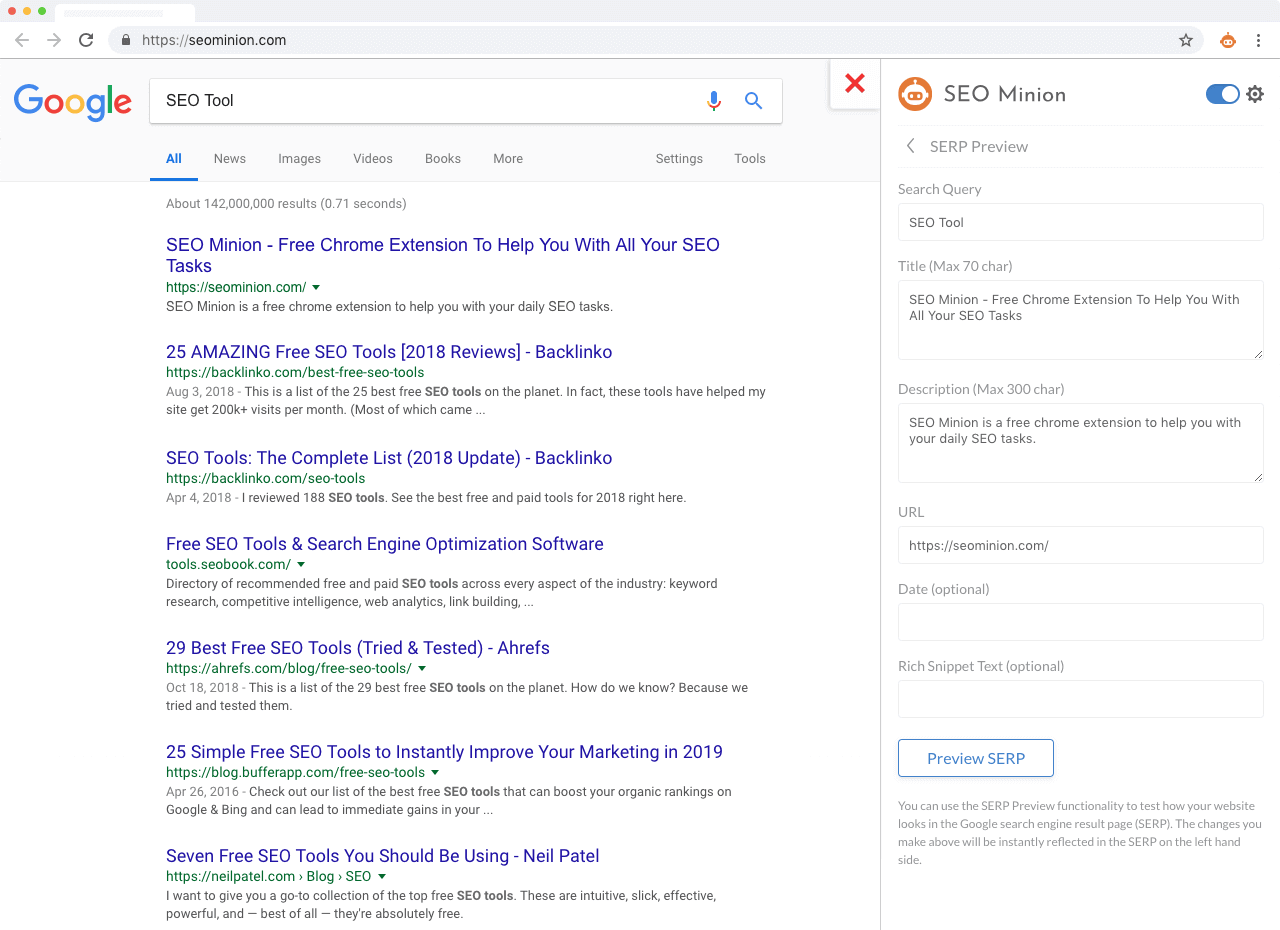
SERP Preview
See how your title and description will look at the top of Google for a keyword, with Google's pixel limits.
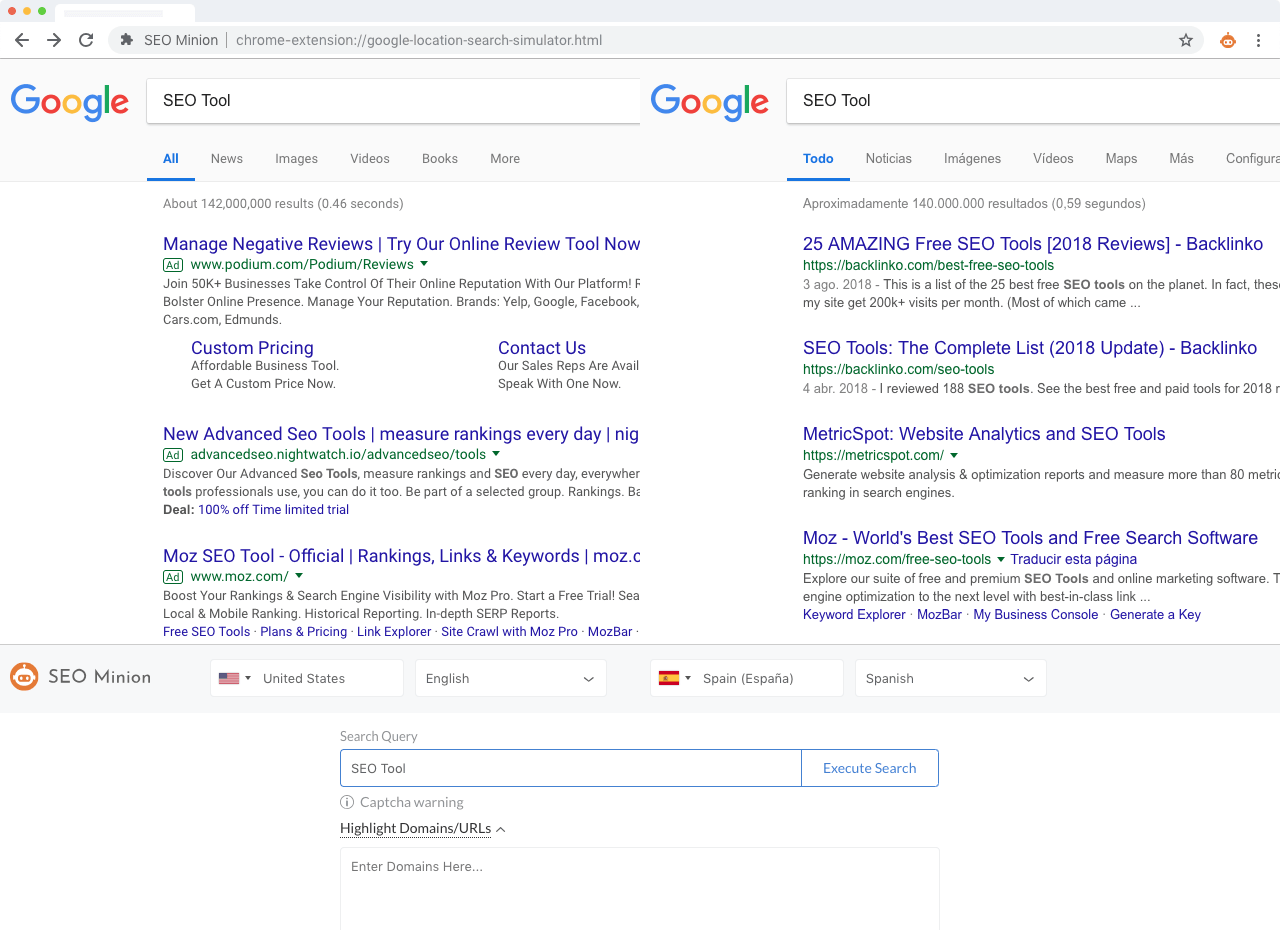
Multi-Location SERP
Check Google rankings for any location, or compare the same search in two locations side by side, without personalisation.
Hreflang Checker
Validate the hreflang tags on a page and on every page they point to: return tags, x-default, language and region codes.
HTML vs DOM
Compare the source HTML with the rendered DOM to see what JavaScript adds or removes.
Structured Data
Analyze and validate the JSON-LD, RDFa and microdata on any page.
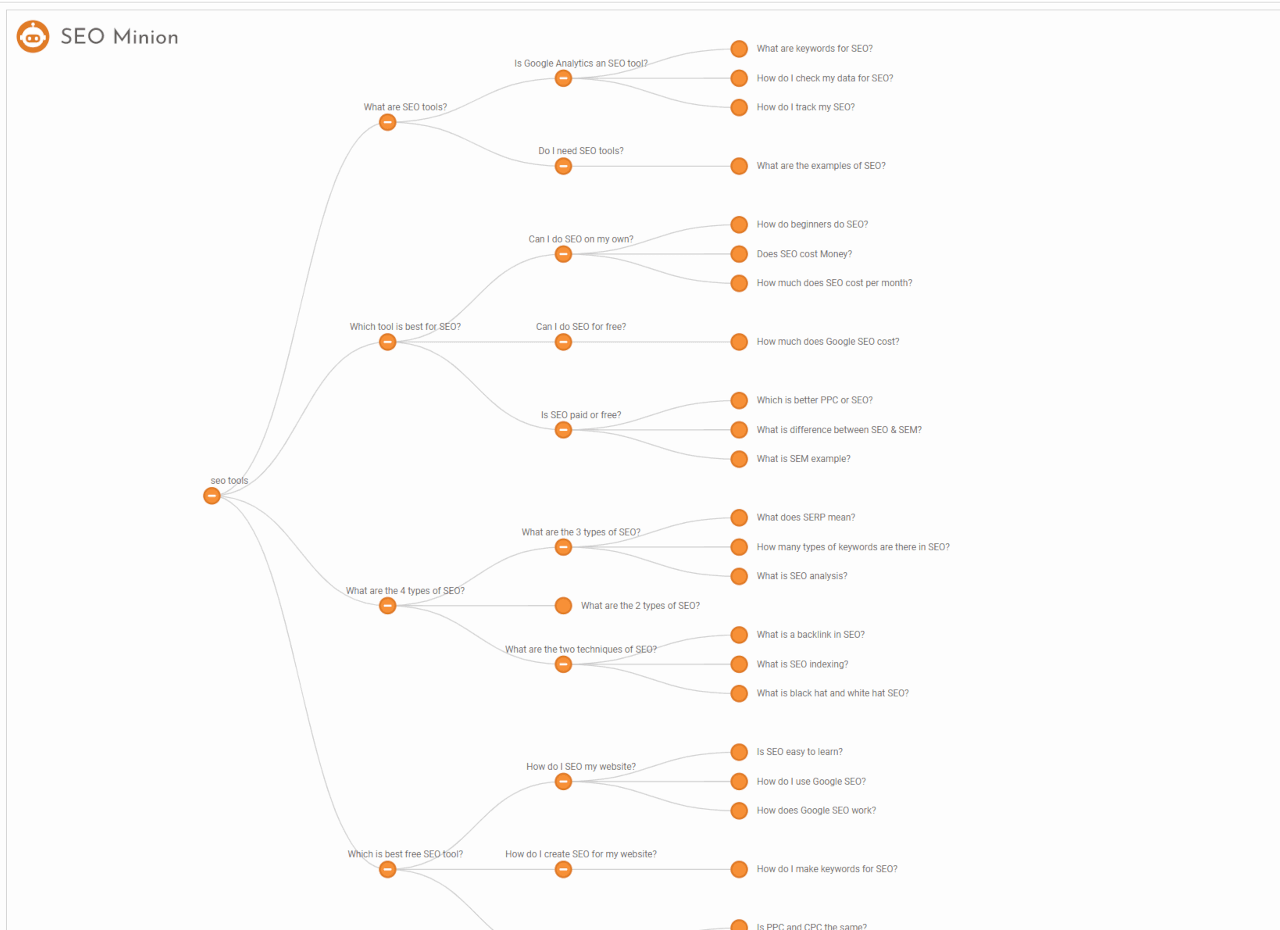
People Also Ask
Scrape thousands of People Also Ask questions from Google, as a list or as a tree.
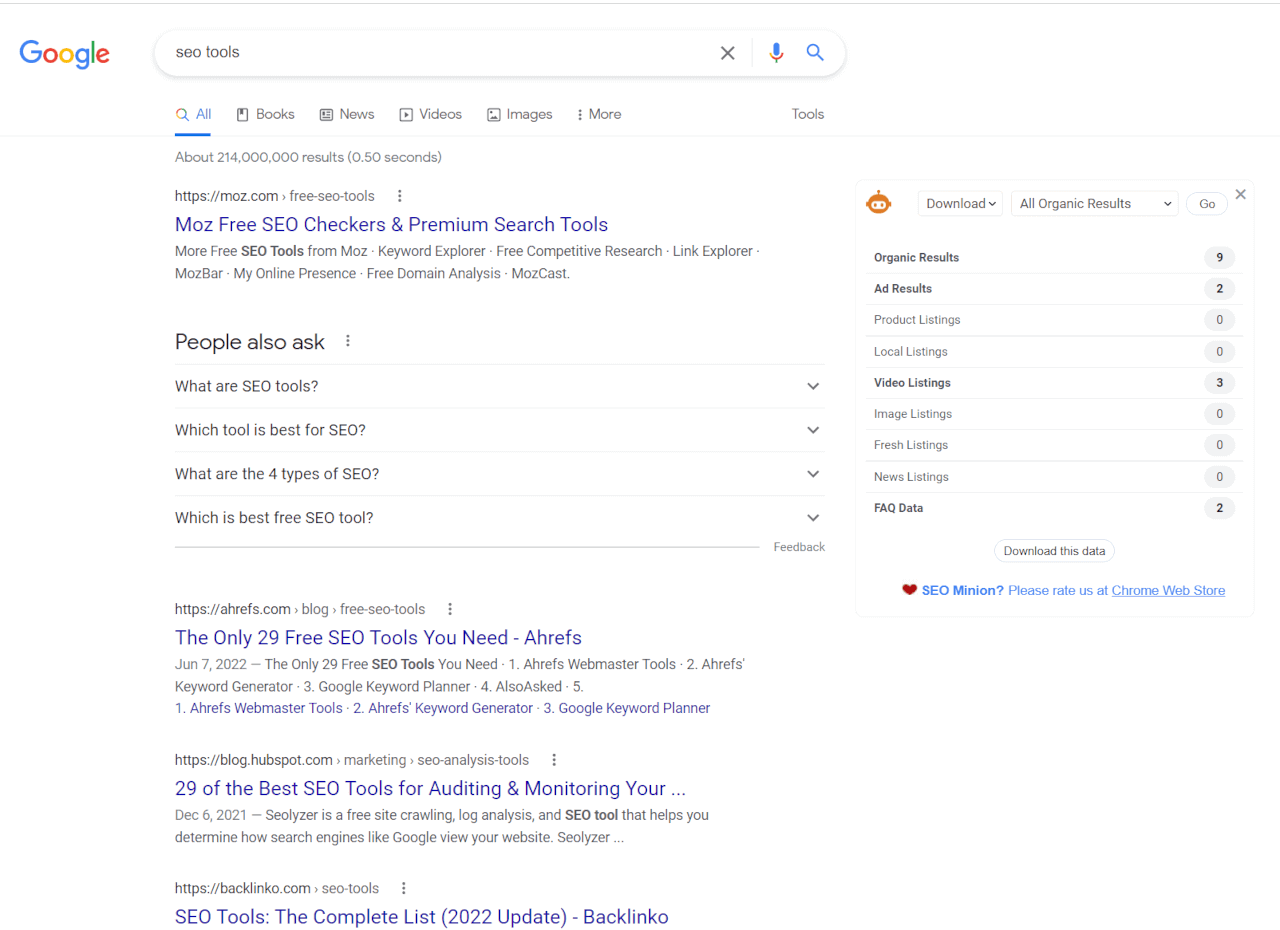
SERP Statistics
A count of every element on the results page: organic, ads, videos, images, news, maps, FAQs and more.
Download SERP Data
Copy or download the organic, ad, local, video, image, news and FAQ listings of a results page.
What SEOs say about it

SEO Minion is hands down my fav SEO browser extension!
Besides SERPs multi-country and language simulation, broken links, hreflang checker, besides the usual on page SEO related configuration
Aleyda Solis on X

Checking out the new SEO Minion Chrome Extention - the coolest feature is this side by side comparison of results in two different countries/languages
Dan Shure on X
See it in action
How to get SEO Minion
Three steps, about five minutes.
1Install the extension
Add SEO Minion to Chrome or Firefox from the store. The icon appears at the top right of the browser.
2Get a Keywords Everywhere plan
Included with the Silver, Gold and Platinum plans; your API key unlocks it.
3Enter your API key
Open the SEO Minion settings, paste the key and click Validate. The steps with screenshots.
Questions?
The FAQ covers incognito mode, the Chrome permissions prompt and the hidden toolbar icon. The video playlist walks through every feature. For anything else, contact us.