

When you run a small business, your attention usually goes to the work right in front of you: customers, staff, appointments, projects, and everything else that keeps the business going.
SEO can feel like one more thing on an already packed list, even though it plays a big role in helping new customers find you. But at some point, most business owners realize they cannot ignore it forever and end up getting pulled into learning how it all works.
So if you’re ready to stop putting it off, this DIY SEO for small business guide will show you how to tackle the basics one step at a time.
Why Bother with SEO?
For most small businesses, SEO is not optional anymore. It’s one of the main ways people discover you in the first place. And if you ‘re not showing up, you’re essentially handing those customers to someone else.
Here are a few reasons why it is worth taking seriously:
1. Get found online
These days, people search before they buy. Whether they need a service, a product, or a local business, search engines are often the starting point. SEO helps make sure your business shows up when those searches happen, instead of getting buried under competitors.
2. A more cost-effective long-term play
Unlike paid ads, you’re not paying for every single click, which makes SEO one of the few ways small businesses can grow visibility without burning through budget.
SEO usually takes longer to kick in than paid ads, which is why many local businesses invest in Google Ads management to generate leads while their organic rankings build. The upside of SEO is that the results can keep working over time. A well-ranked page can keep bringing in traffic long after it’s published. That makes SEO one of the more affordable and sustainable marketing channels for small businesses willing to be patient with the process.
3. A real way to compete with bigger brands
Small businesses are not always going to outspend larger competitors, but they can still outrank them in the right areas. The smart move is usually to focus on niche services, local searches, or specific topics the big players are not covering well. That’s often where SEO gives smaller businesses a real opening.
Why is learning SEO non-negotiable as a business person?
Most business owners do not jump into SEO right away. The usual path is hiring someone, like an agency or a freelancer, and hoping for results. But sooner or later, questions come up.
- Why is traffic not improving?
- Why is this keyword being targeted?
- Why are competitors still outranking you?
At that point, you get pulled in. Not necessarily to do everything yourself, but to understand enough to make informed decisions. Because without that baseline knowledge, you’re essentially flying blind, which is exactly how some businesses end up overpaying or getting stuck with weak SEO work.
Even so, the right SEO agency can still be a strong asset, but it’s not without trade-offs.
- Higher upfront costs: Quality SEO typically runs anywhere from $1,000 to $10,000+ per month
- Learning curve still exists: You still need to understand what they’re 3.doing and why
- Risk of poor fit: Not all agencies understand your niche or deliver consistent results
Unfortunately, even if you do outsource, you cannot fully “opt out” of SEO. You still need enough knowledge to evaluate, guide, and course-correct.
Most importantly, as the business owner, you already understand your customers, your services, and your niche better, so you already have the biggest advantage.
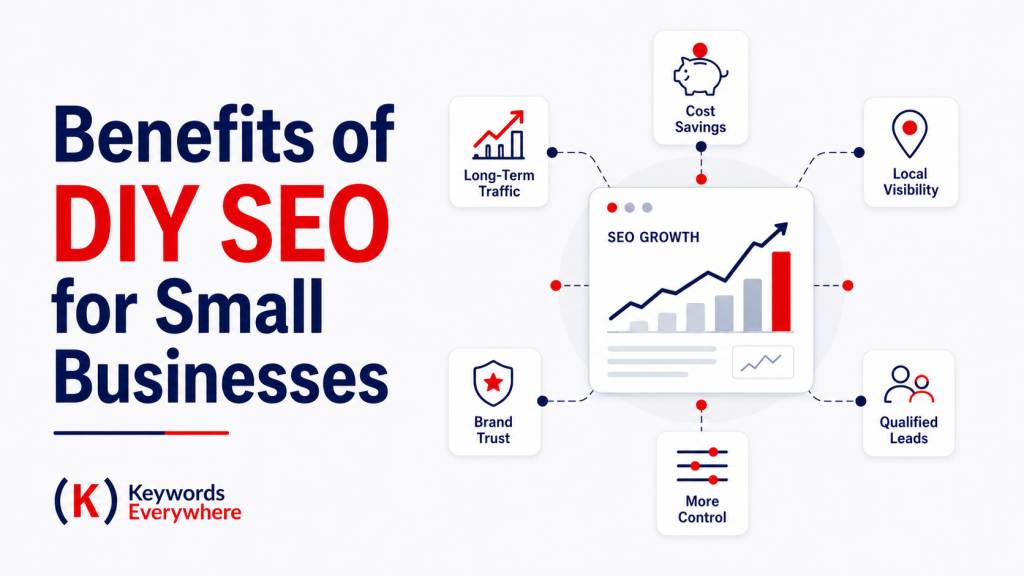


Other Benefits of DIY SEO for Small Businesses
Besides DIY SEO saving you serious money, you get a few extra wins in the process:
1. You Keep More Control
Doing your own SEO also means keeping control over the direction, priorities, and pace of the work. No one knows your business better than you do, so there really is value in being hands-on. You don’t have to wait for an agency to understand your goals, interpret your feedback, or get around to making changes. You can focus on what matters most to your business, test ideas faster, and make updates when you’re ready.
That level of control can be especially valuable when your site only needs solid basics rather than a huge, complicated strategy.
2. Tools and AI Have Made It Easier
Another reason DIY SEO is more realistic now is that the tools have gotten much better. AI-powered platforms can now help with keyword research, content outlining, optimization, and even publishing workflows. Tools like Keywords Everywhere’s MCP also let you bring keyword and SEO data directly into AI tools which makes research and decision-making easier.
That does not mean the process is fully automatic or foolproof, but it does mean small business owners have more support than they used to. Tasks that once needed a specialist or a full team are now much more accessible, which helps level the playing field quite a bit.
3. SEO Builds Long-Term Value
One of the strongest arguments for learning SEO is that the effort compounds. Every blog post you publish, every page you improve, and every keyword you target has the potential to become a long-term asset. Unlike paid ads, which stop the moment you stop funding them, SEO work can keep generating organic SEO traffic over time. That makes it one of the few marketing efforts where the work you do today can still pay off months or even years down the line.
Overall, as long as you approach it carefully and stick to solid SEO best practices, there’s not much downside to learning the basics and seeing what kind of traction you can build. Just take note that SEO demands consistency and a bit of patience. It also comes with a learning curve, so don’t expect to get everything right on the first try.
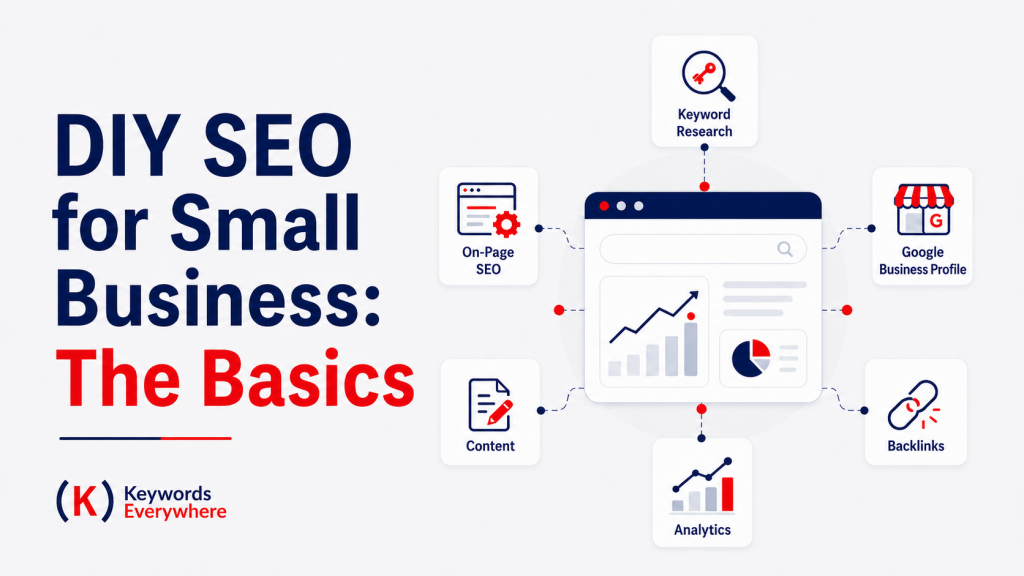
DIY SEO for Small Business: The Basics
Before getting into advanced tactics, it helps to lock in the basics. Let’s walk through the key pieces:
● The Main Point of SEO
Search engine optimization (SEO) is all about making your website easier to find in search engines when people are looking for answers, services, or products like yours. And the real goal is not just traffic, but the right traffic– the kind that actually turns into customers.
To get there, you’ll want to get familiar with a few core SEO concepts first.
● How Search Engines Work
To understand SEO, it helps to know what search engines are actually doing behind the scenes. At a basic level, they follow three main steps: crawling, indexing, and serving results.
1. Crawling (discovering content)
Search engines use bots (often called crawlers or spiders) to scan the web. These bots move from page to page by following links, looking for new or updated content. If your pages are not linked properly or are blocked, search engines may not even find them.
2. Indexing (storing and understanding)
Once a page is discovered, it gets analyzed and stored in a massive database called the index. Here, search engines try to understand what your page is about—your content, keywords, structure, and overall relevance. If a page is not indexed, it will not show up in search results at all.
3. Serving results (ranking and displaying)
When someone searches for something, the search engine scans its index and decides which pages are the best match. It ranks them based on hundreds of factors, including relevance, quality, usability, and credibility. Then it displays the results on the search engine results page (SERP).
Everything in SEO ties back to these steps. Make your site easy to crawl, your content easy to understand, and your pages worth ranking. That’s the basic formula behind good SEO.
Also Read: How to Improve SEO Rankings
● Types of SEO
SEO is usually broken down into three main components. You don’t need to master all of them at once, but understanding how they work together will give you a solid foundation.
1. On-page SEO
This is everything you do directly on your website. It mainly comes down to creating helpful, relevant content that matches what people are searching for. That includes your page titles, headings, keywords, and how your content is structured.
If your pages clearly answer what the searcher is looking for, are easy to read, and are structured in a way search engines can easily crawl and understand, you’re already covering a big part of on-page SEO.
2. Technical SEO
This focuses on how your website works behind the scenes. Things like site speed, mobile-friendliness, page loading, and overall structure all fall under technical SEO.
You want your site to be easy to navigate for users and easy to crawl for search engines. You don’t need to go too deep here at the start, but having a clean, functional site makes everything else more effective.
Learn More: Technical SEO Explained: A Beginner’s Guide to Crawl and Index
3. Off-page SEO
This is about building your website’s reputation outside of your own pages. The main part of this is getting backlinks, which are links from other websites pointing to yours. These act as signals of trust and authority. The more credible and relevant the sites linking to you, the stronger your site looks in the eyes of search engines. In simple terms, it is about getting others to vouch for your content.
● Other SEO strategies
There are also more specific strategies you can use depending on your business, audience, and goals. Some of these will matter more than others depending on what you sell, where you serve, and how people find you.
1. Local SEO
This focuses on helping your business show up in location-based searches like “dentist near me” or “coffee shops in Texas.” It involves optimizing your Google Business Profile, collecting reviews, and making sure your business details (name, address, phone) are consistent across the web. If you serve a specific area, this is one of the most important SEO strategies to focus on.
Learn More: Local SEO: The Ultimate Guide to Ranking
2. Long-tail SEO
This targets more specific, lower-competition search phrases like “affordable wedding photographer NYC” or “how to choose a wedding photographer” instead of just “photographer.” These keywords usually have lower search volume but higher intent, which means people searching them are often closer to taking action.
Learn More: Long-Tail SEO: Secrets to Explosive Traffic
3. GEO (Generative Engine Optimization)
GEO focuses on helping your content show up in AI-powered search experiences like Google AI Overviews, ChatGPT, and other answer engines. The goal is to write in a way that’s easy for AI systems to interpret, summarize, and quote accurately. This area of SEO is still developing but is quickly becoming part of the bigger picture.
Learn More: Generative Engine Optimization (GEO): Guide & Strategy
4. Image SEO
This is about optimizing your images so they can show up in search and not slow your site down. Using relevant file names, alt text, and smaller file sizes can make a big difference, especially for visual-heavy businesses.
5. Video SEO
Video SEO now goes beyond just ranking on YouTube. It also helps your videos show up in Google results and other search-based experiences. To do it well, you need a clear topic, strong packaging, and content that keeps people watching. Things like titles, thumbnails, keywords, and watch time all matter. It’s a strong fit for tutorials, behind-the-scenes content, comparisons, and quick explainers.
6. Ecommerce SEO
Ecommerce SEO is all about helping online stores get found. It involves optimizing product and category pages, writing useful descriptions, and improving site structure so customers can find products more easily through search. Done well, it helps shoppers land on the right products faster and move through the buying process with less friction.
Learn More: Ecommerce SEO for Beginners: How to Get Started
7. Mobile SEO
Mobile SEO is about making your site fast, usable, and readable on mobile devices. Because a big chunk of traffic now comes from phones, your pages need to display properly and be easy to navigate without pinching, zooming, or waiting around. A weak mobile experience can cost you both visibility and sales.
8. Content SEO
This focuses specifically on planning and creating content that targets relevant keywords and answers user questions. Blog posts, guides, and landing pages all fall under this. It’s one of the main drivers of organic traffic.
Learn More: Content Marketing 101: Strategy & Examples
9. International SEO
If your business targets multiple countries or languages, this helps search engines show the right version of your site to the right audience. It includes things like language targeting and regional optimization.
10. Voice Search SEO
This is about helping your content show up when people search by speaking into their phones or smart devices. Voice searches tend to sound more natural and question-based, so pages that answer things clearly and directly usually have a better shot at showing up.
11. Programmatic SEO
Programmatic SEO is about creating lots of pages systematically instead of one by one. It works best when you have structured data behind it, like product details, listings, or location coverage.
To do it well, each page needs enough unique value, strong internal links, and content that clearly answers the search. Otherwise, the pages can come off as thin or overly repetitive. Done well, it can open up a lot of long-tail traffic opportunities at scale.
12. App Store SEO (ASO)
This is basically SEO for mobile apps. If you have an app, ASO helps it show up better in places like Google Play and the Apple App Store by improving the listing itself, including the title, description, keywords, visuals, and reviews.
Start with the ones that match your business model, then build from there. The right mix of these strategies can widen your reach and help more people find their way to you.
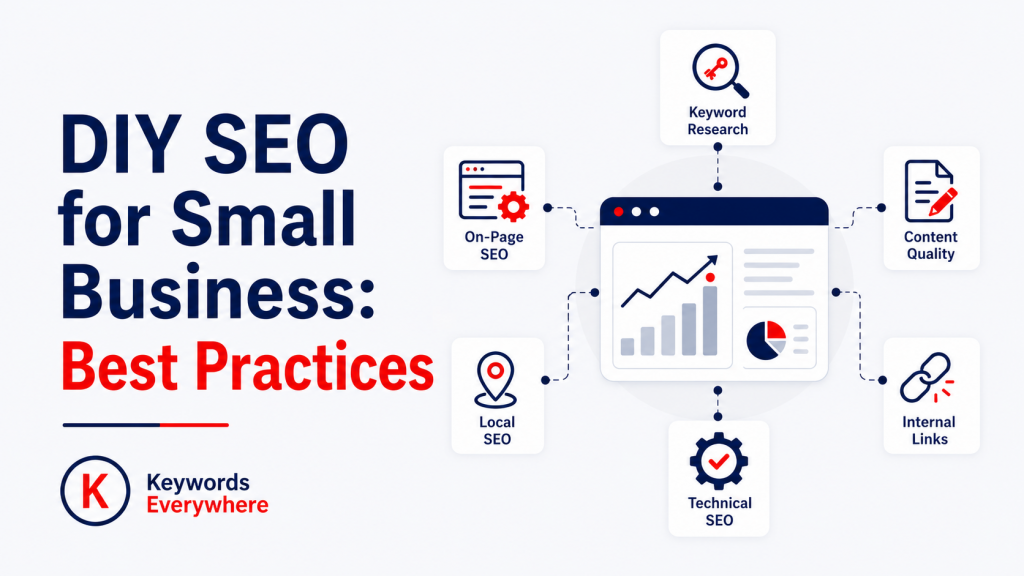
DIY SEO for Small Business: Best Practices
Once you understand the basics, the next step is knowing exactly how to apply them. But SEO can feel like a big topic, especially as a business owner already juggling a hundred other things. The good thing is, SEO is one of those things you can learn in layers.
The goal is not to turn you into an SEO expert overnight. It’s to give you practical starting points so you can stop stalling and start putting SEO into action.
Let’s get into the core skills you can start applying right away:
➣ DIY SEO Tip #1: Learn the Basics of SEO Content Writing
A huge portion of SEO comes down to creating content. If your site does not have useful, relevant pages, there’s nothing for search engines to rank in the first place.
You will see a lot of advice around technical tweaks and advanced tactics, and those do matter. But for most small businesses, especially early on, they only come second to having consistent, helpful content. If you’re working with limited time or budget, your best move is to focus on sharing what you already know—your services, your expertise, and the questions your customers ask every day.
That’s why learning the basics of SEO content writing is one of the most valuable skills you can pick up. It’s a core part of making SEO work.
Think of it this way: every page or post you publish is another chance to show up in search. The more useful content you have, the more opportunities you create for people to discover your business.
What Good SEO Content Looks Like:
At a basic level, your content should:
- Answer a real question or solve a real problem
- Match what people are actually searching for
- Be easy to read and understand
- Guide the reader toward the next step (learn more, contact you, book, etc.)
SEO content writing is not rocket science. Clear, helpful content is often enough to put you ahead of a lot of websites.
Writing Tips for DIY SEO
You don’t have to try too hard to sound like an expert. You just have to produce content that’s clear, helpful, and easy to follow.
These tips will help you tighten your approach:
1. Avoid jargon in writing
Write the way your customers speak, not the way experts do. If someone has to reread your content to understand it, that is a problem. Simple, clear language makes your content more accessible and keeps people engaged.
2. Optimize your headings
Headings help both readers and search engines understand your content. Use them to break up sections, highlight key points, and include relevant keywords where it makes sense. A well-structured page is much easier to scan and follow.
3. Use keywords naturally
Keywords still play a big role in SEO, but they’re no longer about exact-match overload. What matters more now is using them in a way that feels natural and gives search engines a clear sense of the topic. Think in terms of one primary keyword, plus secondary and related keywords that support it throughout the page.
Also Read: Do Keywords Still Matter for SEO?
4. Answer questions directly
If your page is targeting a question or pain point, do not make people work too hard for the answer. Give it to them early and clearly, then use the rest of the content to explain, support, or expand on it.
5. Write for both search engines and real people
The best SEO writing does not feel like SEO writing. It feels clear, helpful, and well put together. Under the hood, it’s still doing the right things for search engines, like using relevant keywords and organized headings. But on the surface, it just feels easy for people to read and trust.
Simply put, real SEO content is not about gaming the system. It’s about making your page clear enough for search engines to categorize and useful enough for people to stay on. That means good structure, natural wording, and content that actually answers the search. When it works for people first, it usually works better for SEO too.
6. Make your content easy to scan
Most people are not reading your page word for word. They’re skimming to see if it has what they need. Short paragraphs, bullet points, and clear sections make it easier for them to find the information they’re looking for, without getting lost in walls of text. When the layout feels clean and readable, it’s easier for the content itself to do its job.
7. Add some visual “breaks”
Walls of text can turn people away. Besides adding bullet points and headings, consider using images, videos, or simple visuals to help break things up and keep users engaged. It also reinforces your message and can improve time spent on your page.
8. Don’t forget your search preview (snippet)
Your title tag and meta description are often the first things people see in search results, so they need to pull their weight. Include your main keyword, make the page sound relevant and useful, and give people a clear reason to click. Even strong content can get overlooked if the preview does not do its job.
Instead of guessing how your snippet will appear, it helps to preview it before publishing. Free tools like serppreviewtool.com let you check how your title, URL, and description may look in search, which makes it easier to tweak length, wording, and keyword placement before anything goes live.
Also Read: Best Free Google SERP Preview Tool: Optimize Titles & Descriptions
9. Keep it consistent
Content SEO works best when you show up consistently. You don’t need to publish every day, but you do need to keep adding useful pages over time. Each piece builds on the last and increases your chances of getting found.
If you can commit to creating helpful content consistently, you’re already doing one of the most important parts of SEO right.
➣ DIY SEO Tip #2: Master Keyword Research
Before you write a single word, you need to know what your ideal customer is actually searching for. That’s exactly what keyword research does. It helps you move from guessing to targeting real demand. If content is a big part of SEO, keyword research is what gives that content direction.
1. Start with the basics
A good place to begin is with the words and phrases your audience would naturally use when looking for your services, products, or advice– a.k.a your “seed keywords”. Think about your core offers, common customer questions, and the problems you solve.
For example, if you’re a dental business, your seed keywords could be “dentist”, “braces”, “fillings”, or “whitening”. These are broad starting points you can expand into more specific long-tail keywords like “braces for teens”, “tooth filling cost”, or “teeth whitening near me,” which are usually easier to compete for and closer to real search intent.
Another key point is to think in customer language, not just industry language. A business owner might say “periodontal treatment,” but a potential customer might search for “gum disease treatment.”
The closer your wording is to real searches, the better your content can line up with demand. You can still include technical terms, but they should support, not replace, more common search phrases.
2. Mine Google for ideas
You don’t always need a paid tool to get useful keyword ideas. Google itself is one of the best starting points. Type a topic related to your business into the search bar and pay attention to the autocomplete suggestions:
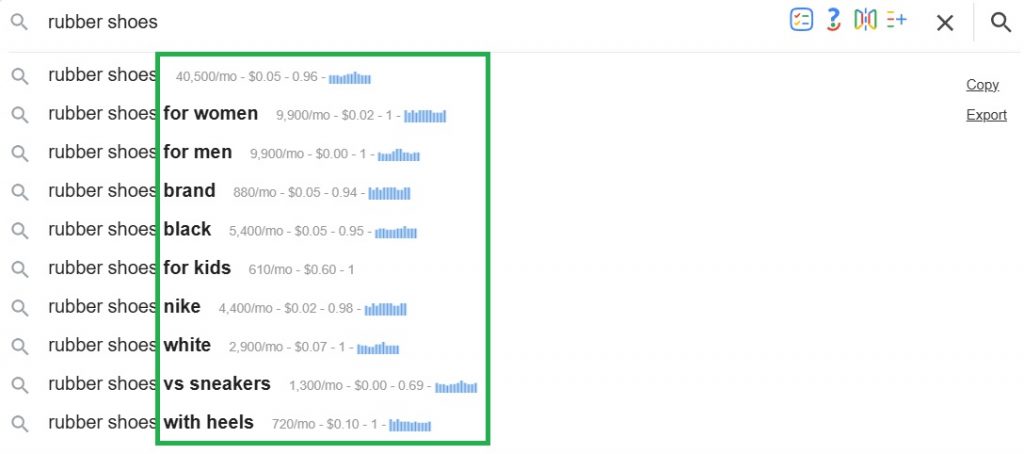
These are based on real searches. This gets even more useful with Keywords Everywhere, since it can surface keyword metrics like search volume directly in Google as you search.

You can also look at other SERP sections like “People Also Ask,” “People also search for,” and related searches at the bottom of the page. These can give you topic ideas, question-based keywords, and more specific long-tail variations you may not have thought of on your own.
On top of the in-line metrics, Keywords Everywhere also adds widgets for related keywords, long-tail terms, trend charts, SEO difficulty, and other grouped ideas, so you can keep expanding and validating topics without leaving the SERP.
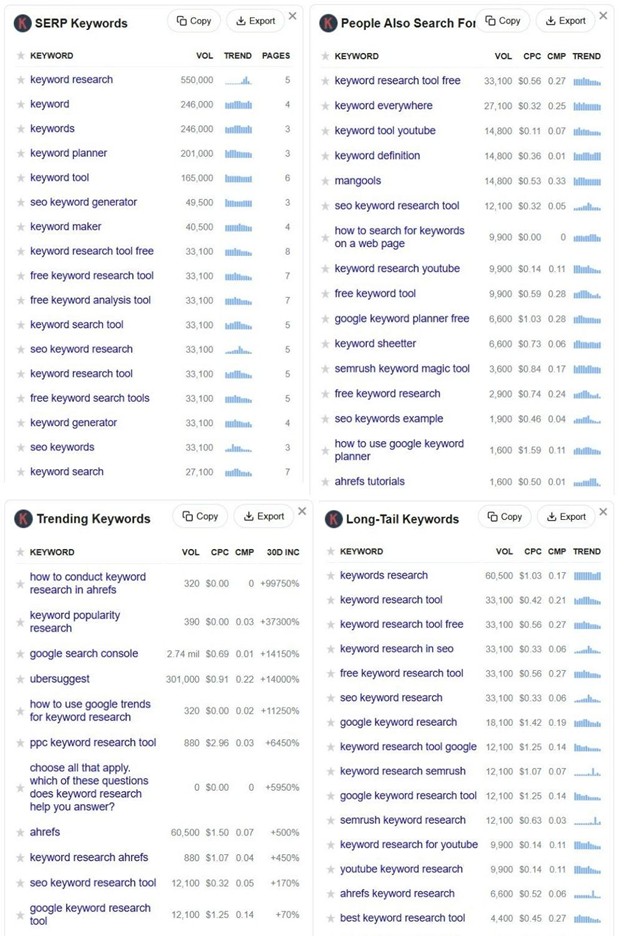
A lot of the keyword research process can start right inside Google if you’re paying attention. And with tools like Keywords Everywhere layering in extra metrics and widgets, the SERP becomes a much more complete place to brainstorm, validate, and refine ideas.
3. Understand search intent
Keyword research is not just about finding phrases with search volume. You also need to understand what the person behind the search actually wants.
Some searches are informational, where the user wants to learn something. Others are commercial, where they are comparing options. Others are transactional, where they are ready to buy, book, or contact someone. The closer your page matches that intent, the better chance it has of ranking well and actually converting.
If you’re a Keywords Everywhere user, the Run SEO Report widget can help here too. It gives you a quicker read on the SERP by surfacing search intent, content type patterns, and competitiveness, which makes it easier to tell what kind of page Google is actually favoring for that keyword.
4. Prioritize what is worth targeting
Once you have a list of ideas, the next step is deciding which ones are worth your time. In general, you want keywords that have decent demand, realistic competition, and clear business value. A keyword may get a lot of searches, but if it’s too broad, too competitive, or unlikely to bring in the right kind of visitor, it may not be the best choice. For small businesses, lower-volume keywords with stronger intent are often the smarter play.
5. Use keyword mapping
One of the easiest ways to keep your SEO clean and organized is to assign one main keyword or key phrase to each page. This is called keyword mapping. It helps prevent keyword cannibalization, where multiple pages on your site end up competing for the same search term. When each page has a clear focus, it’s easier for both users and search engines to understand what that page is meant to rank for.
6. Think in clusters, not just single pages
It also helps to group related content into topic clusters. Instead of writing isolated posts with no connection, build out a main topic and support it with related pages. For example, if your main topic is electric bikes, you might have supporting pages around pricing, maintenance, beginner tips, or comparisons. This makes your site stronger topically and gives search engines more context around your expertise.
7. Use tools to validate your ideas
You may know your customers and your niche inside out, but that does not always mean you know exactly how they search. Sometimes the topic is right, but the wording is off. Keyword tools help you validate demand, compare phrasing, and make sure you’re building content around terms people actually use.
Even one seed keyword can open up a much bigger pool of ideas, helping you find related topics, plan content more strategically, and cover more real search opportunities in your niche.
If you want a fuller SEO suite that covers more than just keyword research, tools like Semrush or Ahrefs can give you broader data across content, competition, backlinks, and site performance. If you want a lower-cost option, Keywords Everywhere is a practical middle ground that goes beyond keyword data into areas like SERP analysis, competitor research, on-page audits, and even technical checks.
Tools can back up your instincts, but they also do a whole lot more. They help you find better phrasing, spot missed opportunities, and turn rough ideas into a more strategic content plan.
8. Check what’s already ranking
One of the simplest ways to judge a keyword is to Google it yourself. Look at the pages that already rank. Are they blog posts, service pages, product pages, or location pages? How detailed are they? What angle are they taking?
This gives you a clearer picture of what search engines currently see as the best fit for that keyword, and it helps you decide whether you can realistically compete or take a better angle.
9. Do not chase volume alone
A common mistake is going after the biggest keywords just because they look impressive. But big search volume does not always mean big value. Broad terms are often harder to rank for and may attract less qualified traffic. Take “electric bike” for example. It has close to 3 million monthly searches, but it’s also super competitive, which makes it a tough keyword for a newer site to win.
A more specific term like “best electric bike for city riding” may get far fewer searches, but it’s more realistic to rank for and a better fit for websites that are still building authority. Plus, for many small businesses, a more specific keyword can be far more useful because the person searching it is already closer to taking action.
10. Keep it practical
Do not let keyword research turn into endless research with no output. You don’t need a massive spreadsheet before you begin. In many cases, one clear main keyword and a few supporting phrases are enough to shape a page.
Keyword research helps you understand what your audience wants, how they search, and which topics are actually worth covering. Once you know that, your content becomes much more focused and much more likely to bring in the right traffic.
➣ DIY SEO Tip #3: Nail Experience, Expertise, Authoritativeness, and Trustworthiness (E-E-A-T)
You may have heard of E-E-A-T before. It stands for Experience, Expertise, Authoritativeness, and Trustworthiness, and it’s basically about showing that your content comes from someone who knows what they’re talking about and can be trusted.
For small businesses, this is actually a big advantage. You already have hands-on knowledge of your field, so the goal is to make that come through in your content. Share real examples, explain things clearly, and speak from actual experience. That alone can make your content feel a lot more credible than generic articles with no real insight behind them.
It also helps to back up your points when needed. Link to trustworthy sources, keep your claims realistic, and make sure your site feels transparent and legit. At the end of the day, E-E-A-T is really about building trust. If people trust your content, search engines are more likely to trust it too.
➣ DIY SEO Tip #4: Add Internal links
Internal links in SEO help connect one page on your site to another. They help visitors discover related content, and they also help search engines understand how your pages fit together.
A key part of this is anchor text, which is the clickable text in a link. For example, instead of using something vague like “click here,” you might write “keyword research guide” or “DIY SEO basics.” That anchor text can often be the main keyword of the destination page or a close variation of it. Just make sure it fits naturally into the sentence and genuinely helps the reader, rather than feeling forced just for SEO.
That gives both readers and search engines a clearer idea of what the linked page is about. The more descriptive your anchor text is, the easier it is for search engines to understand what each linked page covers and how it relates to the rest of your site.
When relevant pages consistently link to another page using related phrases, it can seamlessly reinforce what that page should be associated with. You can strengthen this even more by organizing your content into topic clusters. A main page covers a broad subject, then links out to more detailed pages on related subtopics. This creates a clearer structure for users, while also helping search engines better understand your content and the relationships between your pages.
➣ DIY SEO Tip #4: Build Backlinks and Improve Your Online Reputation
If you’re new to SEO, backlinks can sound a bit intimidating. In simple terms, they’re just links from other websites pointing to yours. But search engines treat those links as trust signals, especially when they come from relevant, reputable sites.
The good news is you don’t need loads of backlinks to get started. When it comes to link building, quality matters much more than quantity. One solid link from a respected local, industry, or media site can do far more than a bunch of weak links from random websites.
That’s why the best starting point is usually to create content people would actually want to reference—useful guides, original insights, strong service pages, or resources that genuinely help.
There are more practical ways to build links including:
- Guest posting: Write useful articles for relevant websites in your industry and include a link back to your site where it makes sense.
- Networking and partnerships: Build relationships with other businesses, creators, suppliers, or organizations that may lead to mentions, collaborations, or links.
- Local directories and citations: Add your business to reputable local directories, industry listings, and association websites to strengthen both visibility and credibility.
- Digital PR and journalist requests: Use platforms like HARO or SourceBottle to respond to media queries. If a journalist quotes you, you may earn a backlink from a trusted publication.
- Unlinked brand mentions: Set up Google Alerts for your business name. If another site mentions you without linking, reach out and politely ask if they can add a link.
- Testimonials and case studies: Offer testimonials for tools, suppliers, or partners you genuinely use. They may feature your quote and link back to your site.
- Community involvement: Sponsoring events, joining local initiatives, or contributing to community groups can sometimes earn mentions and links from trusted local websites.
- Resource page outreach: Look for websites with resource pages or recommended links in your niche and see whether your content would be a genuinely useful addition.
- Broken link building: If you find a broken link on another website and have a relevant page that could replace it, you can suggest your page as an alternative.
- Social sharing and visibility: While social links themselves may not carry the same SEO weight, sharing your content can help it get seen by people who may later link to it.
As you start earning links, it also helps to monitor which pages are actually getting mentioned. Our free Inbound Link Checker lets you check the backlinks pointing to your domain or specific URLs, including the source URL, destination URL, anchor text, domain authority, page rank, and spam score. This gives you a clearer view of which content, partnerships, or outreach efforts are bringing in real link value.
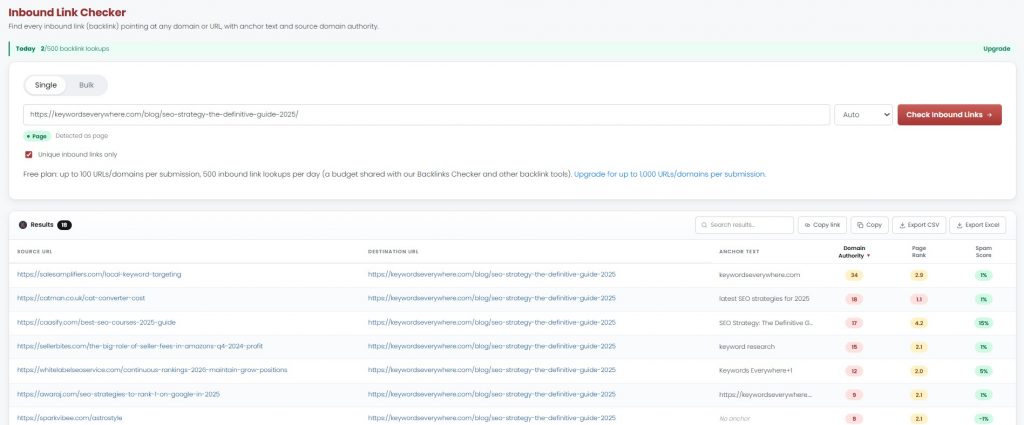
Just do yourself a favor and avoid spammy link-building shortcuts. Buying low-quality links can do more harm than good. To do DIY SEO right, always remember that backlinks work best when they come from real relationships, useful content, and a business that is steadily building credibility online.
➣ DIY SEO Tip #5: Refresh Old Content
SEO is not just about publishing new pages. It’s also about going back to older ones and keeping them useful. Over time, rankings can slip, information can get outdated, and pages that once performed well can start losing traffic.
Refreshing content is one of the easiest ways to get more value out of work you’ve already done. For small business owners, this is good news. Updating an existing page is often faster and easier than starting from scratch.
And in many cases, it can move the needle more quickly because the page already has some history, visibility, or backlinks behind it. You can also stay on top of this by using tools like Website Ranking Checker, which can automatically flag pages starting to lose traction. Its Content Decay Report points you to pages that may be due for an update instead of leaving you to dig through everything manually.
Learn More: Check Keyword Rankings for Free (And Find Quick Wins!)
➣ DIY SEO Tip #6: Improve site navigation
Even great content can struggle if your site is a pain to navigate. If people cannot find what they need quickly, they will leave, and search engines most definitely pick up on that too.
Here are a few places to start:
- Keep your site structure logical. Your pages should be organized in a way that makes sense, with clear categories and a natural path from one page to another. Important pages should be easy to reach and not buried too deep.
- Make sure search engines can crawl and index your pages. Search bots need to move through your site easily to understand and list your pages in search results. If pages are blocked, broken, or hard to access, they may not get indexed at all.
- Check for technical issues early. Broken links, orphan pages, redirect errors, and blocked pages can compromise your visibility, even if your content is strong.
- Prioritize speed and mobile usability. Your site should load quickly and work well on phones, especially since so many searches happen on mobile. Compress large images and avoid anything that unnecessarily slows pages down.
- Use Google Search Console to keep tabs on things. It’s a free tool that helps you catch crawling issues, indexing problems, and other technical warnings before they turn into bigger SEO problems. You can also use free tools like SEO Checker to automatically spot technical issues, flag weak pages, and get a clearer picture of what’s holding your site back.
Navigation is a huge part of user experience. The easier your site is to move through, the more likely people are to stay, click around, and find what they need. Anything that’s good for users is good for SEO.
➣ DIY SEO Tip #7: Monitor and Adapt (Performance Tracking)
Like it or not, SEO is an ongoing activity. Rankings shift, competitors update their pages, and Google changes how results are shown. If you’re doing DIY SEO for your small business, you need to check in and tweak things as you go.
- Use analytics tools. Google Analytics (GA4) helps you understand what users are doing on your site and whether your pages are actually working.
- Track what matters. Look at traffic, rankings, clicks, and conversions. These tell you if your SEO is heading in the right direction.
- Check Search Console. It gives you a direct view of how Google sees your site—what is ranking, what is not, and what might be broken.
- Make small updates consistently. SEO is not about big changes all at once. It’s about steady improvements based on real data.
- Stay informed. Follow trusted SEO updates, but keep your focus on fundamentals.
The goal here is simple: track, learn, and adjust. That is how SEO builds and compounds over time.
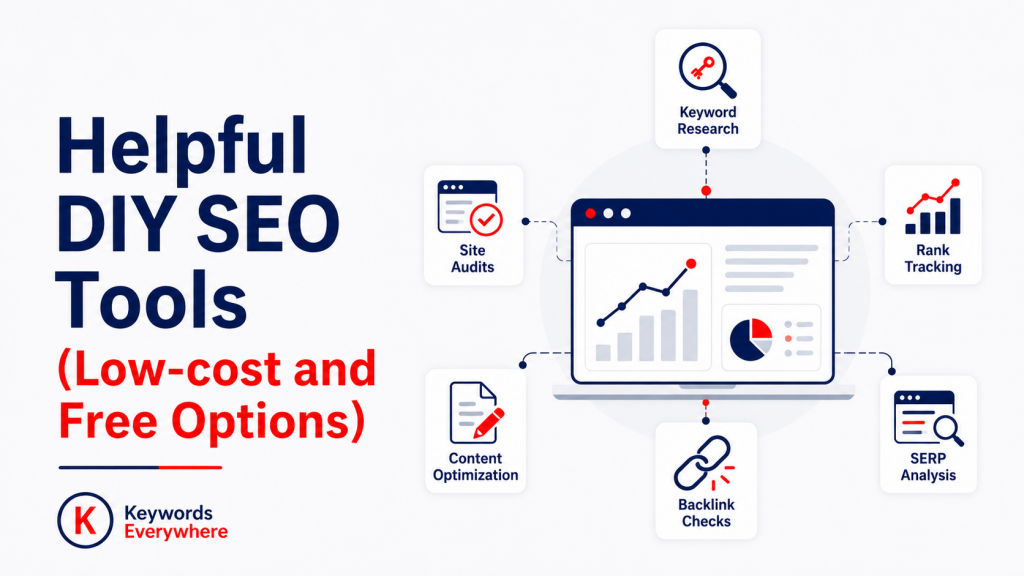
Helpful DIY SEO Tools (Low-cost and Free Options)
One of the main reasons small businesses go the DIY route is budget constraint. The good news is you don’t need a full enterprise SEO stack to get started. There are plenty of low-cost and even free tools that can cover most of what you need, especially in the early stages.
Here are some of the most useful ones, broken down by what they actually help you do:
● On-Page SEO Tools for SMBs
Most on-page SEO improvements come down to small fixes done consistently. Having the right tools makes it easier to review your pages, catch weak spots, and fix issues early:
1. SEO Minion (Starts at $14/mo)
A handy browser extension for quick checks. You can analyze headings, preview SERPs, extract “People Also Ask” questions, and spot basic on-page issues without digging too deep. It’s great for quick audits and content tweaks.
2. SEO Checker (Free)
Covers both on-page and technical basics. It reviews titles, meta descriptions, headings, URL structure, and even flags issues like thin content or mobile usability gaps.
3. Website Ranking Checker (Free)
Useful for tracking keyword performance and spotting weak pages. It helps you identify which pages need updates and where your SEO efforts are actually paying off.
4. Keywords Everywhere (Free)
Keywords Everywhere also offers a solid set of free tools for on-page SEO, especially for SMBs, hobbyists, bloggers, and DIY marketers who want quick checks without paying for a full SEO suite.
These tools can help you review page-level issues, improve metadata, check content quality, and generate basic SEO elements faster:
- Redirect Checker
- Schema Markup Generator
- Schema Markup Validator
- Description Generator
- Keyword Density Checker
- Alt Text Generator
- SEO Content Checker
- H1 Checker
- Open Graph Generator
- FAQ Generator
- Title Length Checker Title Tag Generator
- CTR Calculator
- Conversion Rate Calculator
For DIY SEO, these tools hit the exact on-page tasks that often get missed. You can clean up titles, descriptions, headings, schema, FAQs, keyword usage, content issues, and redirects in one place. The free access is also genuinely useful, with generous enough limits for small websites to get real work done without constantly hitting a paywall.
● Content Writing Tools for SMBs
Since content is doing most of the heavy lifting in your SEO, it helps to have tools that support the writing side of things too. These can help you come up with ideas, improve flow, and make sure your pages are clearer, stronger, and easier to optimize.
1. Yoast SEO (WordPress plugin)
One of the most beginner-friendly tools for on-page content optimization. It guides you on things like keyword usage, readability, internal linking, and meta tags right inside your editor, which makes it easier to keep your content SEO-friendly as you write.
2. ChatGPT / AI writing tools
Helpful for brainstorming ideas, generating outlines, rewriting sections, or speeding up drafts. Just make sure you’re still adding your own expertise and editing for clarity and accuracy.
3. Hemingway Editor / Grammarly (free versions)
These help improve readability and clarity, which matters more than people think for SEO. Clear, easy-to-read content tends to perform better and keep users engaged.
4. Keywords Everywhere
Keywords Everywhere also has a strong set of free content writing tools perfect for DIY SEO. These tools can help you brainstorm topics, build outlines, rewrite rough sections, improve readability, and clean up grammar before publishing:
AI Writing & Drafting Tools
Rewriting & Editing Tools
- Sentence Rewriter
- Paraphrasing Tool
- Paragraph Rewriter
- Text Rewriter
- Article Rewriter
- Sentence Shortener
- Sentence Expander
Grammar, Proofreading & Readability Tools
- AI Grammar Checker
- Spell Checker
- Proofreader
- Punctuation Checker
- Readability Checker
- Pre-Publish Checker
Content Ideation & Planning Tools
SEO Copy & Formatting Helpers
- Word Counter
- Character Counter
- Case Converter
- Title Case Converter
- Sentence Counter
- Reading Time Calculator
- Words to Pages Converter
Research, Citation & Comparison Tools
Specialized Text Utility Tools
For SMBs and DIY marketers, thse free content and AI tools help you move from rough idea to cleaner draft much faster. You can brainstorm, rewrite, summarize, check grammar, and improve readability without needing a full content team.
● Keyword Research Tools for SMBs
If you skip keyword research, you’re mostly guessing. These tools help you see what people are searching for, discover related ideas, and build content around terms that have a real chance of bringing in traffic.
1. Keywords Everywhere
Keywords Everywhere has always been known for its inline keyword data. Instead of opening a separate tool every time you want to check a keyword, it shows search volume, CPC, competition, related terms, long-tail variations, and competitor insights directly inside Google, YouTube, Bing, and other platforms.
That makes it one of the most practical tools for DIY SEO, especially when you’re still learning how to spot keyword opportunities without constantly switching tabs.
Beyond the browser extension, Keywords Everywhere has also created a suite of free keyword research tools for checking search volume, analyzing SERPs, finding keyword gaps, and tracking trends:
- SERP Checker
- Organic Ranking Checker
- Keyword Gap Analysis
- Competitor Analysis
- Search Volume Checker
- Free Keyword Finder
- CPC Checker
- Keyword Volume Checker
- Trend Finder & Tracker
If you’re still starting out and don’t want to spend huge upfront on heavy keyword research tools, this is a practical place to begin. With Keywords Everywhere’s free marketing tools, you can check search volume, inspect SERPs, find keyword gaps, track trends, and understand what’s worth targeting before you invest time into content.
2. Keyword Surfer
A handy free option for quick, in-SERP keyword checks, especially if you’re just getting started and want a lightweight way to validate ideas on the fly.
It’s useful for basic search volume and related keyword discovery. For more advanced research, you may eventually want to pair it with a tool that gives you deeper context around difficulty, intent, and competitor data.
3. Keyword Planner
Great for pulling autosuggest keywords and grouping them into categories like questions, comparisons, and long-tail phrases. It helps you move from ideas to actual targets quickly.
4. Keyword Keg
Useful when you want to scale keyword discovery. It pulls large lists of keyword ideas and helps you filter and organize them.
A big plus is that it can pull autosuggest-based ideas from a range of platforms like Google, YouTube, Amazon, eBay, Yahoo, etc, which is handy if you want broader multi-platform research.
5. Keyword Clustering Tool
Helps group related keywords into topics. This is useful for building content clusters and avoiding keyword cannibalization.
It’s especially handy when you’re working with larger keyword lists because it can cluster terms by intent, attach live metrics, and make it easier to turn raw keyword data into a more structured content plan.
● Technical SEO Tools for SMBs
You don’t need an enterprise audit platform to stay on top of technical SEO. A few practical tools can already help you catch issues like broken links, slow load times, crawl problems, and missing markup before they start holding your site back.
1. SEO Checker
Also covers technical basics like crawl issues, speed problems, and security gaps. Good for quick diagnostics without needing a full audit tool.
2. SEO Minion
Lets you check broken links, structured data, hreflang tags, and even compare HTML vs rendered content. Simple but surprisingly useful for routine checks.
3. Screaming Frog
Another great tool for crawling your site, finding broken links, redirect chains, missing metadata, duplicate content, and other technical issues at scale. The free version already covers a lot, and the paid version is still relatively affordable compared to full SEO suites.
4. Robots.txt Tester & Generator
Our Robots.txt Tester lets you quickly check whether specific URLs are blocked for Googlebot, GPTBot, and other crawlers. On the other hand, our Robots.txt Generator helps you create crawl rules and block AI training bots without having to write the file from scratch.
5. llms.txt Generator
Our llms.txt Generator helps you create a properly formatted llms.txt file that points AI assistants toward your site’s key pages. It’s a quick way to create the file and download it ready to add to your site root.
● Off-Page SEO (backlinks and authority)
Off-page SEO can feel less straightforward because it involves factors you don’t fully control, like other websites linking to you. Still, with a few useful tools, you can monitor your backlinks, study what works in your niche, and take a more informed approach to building authority.
1. BacklinkChecker.io
A free tool for checking backlinks at both page and domain level. It’s useful for quick competitor checks and seeing where other sites are getting links from.
2. Google Search Console
Often overlooked for off-page SEO, but it shows you which sites are linking to you and which pages are getting the most links. It’s a simple way to monitor your backlink profile without investing in extra tools.
3. Ahrefs Free Backlink Checker
A solid free option for getting a snapshot of backlinks and referring domains. It’s limited compared to the full version, but still useful for quick checks.
4. Moz Link Explorer (free version)
Lets you check moz domain authority, backlinks, and top linking pages. Good for basic competitor comparisons and understanding link strength.
5. HARO / Featured (free)
Platform where you can respond to journalist queries and potentially earn backlinks from media sites. Takes effort, but can be high-value if you land placements.
6. Hunter.io (free tier)
Helps you find email addresses for outreach. Useful if you’re doing manual link building, partnerships, or guest posting.
7. BuzzSumo (limited free searches)
Helps you find popular content in your niche. You can use it to spot link-worthy topics and see who’s linking to similar content.
8. Keywords Everywhere
Keywords Everywhere also has free tools for the backlink and authority side of SEO, which is helpful if you’re trying to understand why competitors are ranking above you or where your own site may be weak.
Here are some useful free backlink and authority tools powered by Keywords Everywhere:
- Backlinks Checker
- Domain Authority Checker
- Website Authority Checker
- Spam Score Checker
- Backlink Gap Analyzer
- Inbound Link Checker
- Backlink Counter
For SMBs and DIY SEOs, these tools make off-page SEO feel less like a black box. You can see who’s linking to competitors, check whether your own backlink profile looks healthy, and spot link-building opportunities without paying upfront for a heavy backlink platform.
● Local SEO Tools for SMBs
If your business depends on local customers, local SEO should be high on your list. Here are some of the main tools that can help:
1. Google Business Profile (free)
This is not optional for local businesses. It directly affects whether you show up in map results and local searches.
2. Google Search Console
Helpful for checking whether your local pages are indexed and seeing which search terms are bringing people in. It gives you a clearer picture of how your local SEO is actually performing.
3. Google Analytics
Useful for seeing what visitors do after they land on your site from local searches. You can track which location pages are getting traffic and whether they are leading to calls, form fills, or bookings.
4. Directories and listings
Platforms like Yelp, Facebook, and industry directories help reinforce your business presence. Just make sure your NAP (name, address, phone) is consistent everywhere.
● GEO (Generative Engine Optimization) Tools for SMBs
There is no fully mature “Google Analytics for AI citations” yet. Most tools are early-stage, partially accurate, or rely on sampling + prompt testing. But here are a few useful tools and ways to work around that:
1. Keywords Everywhere – Fan-out Query Tool
Helps you expand beyond one keyword by finding related questions and follow-up queries. This is useful for structuring content that AI systems can easily summarize or cite.
2. Peec AI
One of the more visible purpose-built tools for tracking how your brand shows up across AI answer engines. It focuses on visibility, mentions, competitor tracking, and citation-related insights in platforms like ChatGPT and AI Mode.
3. Profound
A more enterprise-style AI visibility platform that tracks how brands appear in answer engines like ChatGPT, Perplexity, Microsoft Copilot, and Google AI Overviews. It’s more about monitoring and analysis than lightweight keyword discovery.
4. llms.txt Generator
You can also use Keywords Everywhere’s llms.txt Generator to create a spec-correct llms.txt file for your website. This helps point AI assistants toward your key pages, resources, guides, documentation, or pricing pages, giving them a cleaner path to the content you actually want discovered and understood.
● Ecommerce SEO Tools for SMBs
For online stores, SEO has to support both visibility and sales. Product pages need to rank well, load fast, and make it easy for shoppers to keep moving. That’s why the right tools can pull a lot of weight.
1. Keywords Everywhere
Works across platforms like Amazon, eBay, and Etsy, so you can validate demand and find product-related keywords directly where people are searching. This makes it easier to optimize product pages and descriptions based on real data.
2. Image optimization tools (TinyPNG, ShortPixel)
Important for ecommerce since product pages rely heavily on images. Compressing images helps improve load speed, which affects both rankings and conversions.
3. Shopify apps (Plug in SEO, Smart SEO, etc.)
Common in Shopify communities. These help with basics like meta tags, schema, broken links, and image optimization without needing technical skills.
● Core Setup and Performance Tracking Tools
Before you worry about advanced tactics, you need a clear way to measure what is happening on your site. Here are a few core tools that help you effectively monitor performance:
1. Google Search Console
This should be one of your first setups. It helps you see how Google views your site, including which pages are indexed, what keywords you are showing up for, and whether there are crawl or coverage issues getting in the way. It’s also one of the best free tools for spotting low-hanging SEO opportunities.
2. Google Analytics
Google Analytics helps you understand what people do once they land on your site. You can track traffic sources, page performance, user behavior, and conversions. If Google Search Console tells you how people find you, Google Analytics helps you see what happens next.
3. Website Ranking Checker
Useful for tracking keyword performance and spotting content that’s starting to slip. It can help flag weak pages and identify refresh opportunities before performance drops too far.
You don’t need dozens of tools to make SEO work. For most small businesses, a small, practical stack is already enough. What matters more is using those tools well, staying consistent, and turning insights into actual improvements.
4. Keywords Everywhere
For site audits and performance tracking, Keywords Everywhere also offers several free tools that cover the basics:
- Website Traffic Checker
- SEO Checker
- SEO Analyzer
- SEO Optimizer
- Subdomain Finder
- Competitors Finder
- Website Worth Calculator
- Top Pages Finder Listing Checker
- UTM Builder
- A/B Test Significance Calculator
- Sample Size Calculator
- Pre-Publish Checker
Keywords Everywhere also has a new Website Monitor tool, which is useful for ongoing site tracking. It monitors uptime, SSL expiry, domain expiry, keyword checks, slow-response issues, DNS changes, robots.txt, sitemaps, and on-page SEO signals like titles, canonicals, indexability, structured data, and tracking tags.
For SMBs, this gives you a more practical setup: you can audit your site, check traffic, review competitors, spot technical issues, and monitor important changes without building a complicated SEO stack from day one.
Setting The Right Expectations
SEO is a marathon, not a sprint. That’s one of the most important things to understand early, especially if you’re doing SEO yourself.
It’s very much normal for SEO to feel slow in the beginning. You might publish content, clean up pages, and make improvements without seeing much happen right away. That doesn’t mean the work is wasted. It usually just means you’re still in the stage where search engines are discovering your pages, understanding your site, and figuring out where your content fits. SEO rarely pays off fast, but it can pay off really well if you stick with it.
Start with a realistic goal
If you are starting from scratch, one of the smartest things you can do is set a goal you can actually control. Instead of fixating on rankings right away, aim for something more practical, like publishing 20 to 25 genuinely useful pieces of content that show your expertise and answer real questions your audience is searching for.
That kind of goal gives you something steady to work toward. It also helps shift your focus away from instant results and toward building a stronger site over time. A good batch of useful content can go a long way, especially when each piece is targeting a clear topic or keyword.
Local SEO and technical basics are worth doing early
If you serve a local area, your Google Business Profile should be one of your early priorities. The same goes for keeping your business name, address, and phone number consistent across the web. Those basics can make a noticeable difference in local visibility.
On the technical side, it’s worth checking whether your site is mobile-friendly, loads fast enough, and is secure with HTTPS. Those are not the most exciting parts of SEO, but they help remove friction for both users and search engines. Besides, getting those basics in place early saves you from more cleanup later.
It’s okay to get help with the tedious bits
Doing SEO yourself does not mean you need to become a one-person machine for every task under the sun. If you have some budget, it’s fine to get a freelancer to help with setup, cleanup, or other admin-heavy pieces. You are still doing DIY SEO if you’re the one directing the work and making the big decisions.
Bottom Line
The main thing is not to expect SEO to move fast just because you’re working hard. It usually does not. But if you stay realistic, focus on the basics, and keep showing up, you give your site time to gain traction the right way.
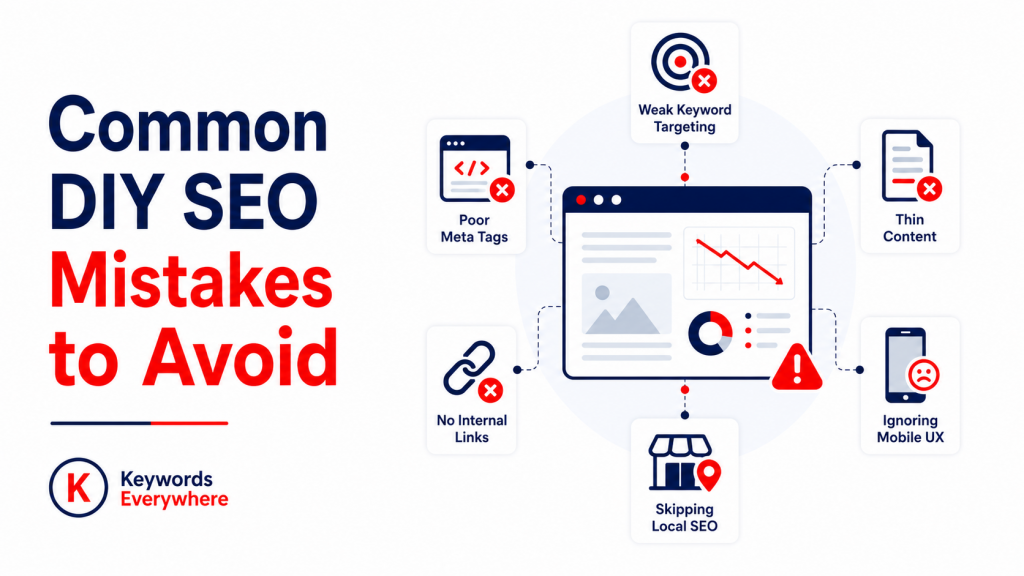
Common DIY SEO Mistakes to Avoid
Even with good intentions, a lot of small business owners trip over the same SEO mistakes. Here are some of the biggest ones to watch out for:
- Going after keywords that are too competitive. If you’re a small or local business, broad keywords are usually not the best place to start. It’s better to target more specific, lower-competition phrases with stronger intent and better shot at ranking.
- Ignoring search intent. Ranking is not just about matching a keyword. Your page also needs to match what the searcher actually wants, whether they’re looking to learn, compare, or take action.
- Publishing thin or low-value content. Short, surface-level pages usually don’t do much. Your content should answer real questions, cover the topic properly, and give people a reason to stay.
- Stuffing keywords into the page. Repeating the same phrase too much makes your writing feel awkward and can hurt readability. Use keywords naturally and focus on making the page as comprehensive and valuable as possible.
- Skipping local SEO. If you serve a local area, you can’t afford to overlook local search visibility. Your Google Business Profile, local pages, reviews, and consistent business details matter a lot.
- Neglecting mobile users. If your site is slow, clunky, or hard to use on a phone, you’re losing a huge chunk of potential traffic.
- Overlooking technical issues. Broken links, blocked pages, indexing problems, and messy site structure can hold your SEO back even if your content is strong.
- Forgetting internal links. If your pages are not connected properly, both users and search engines will have a harder time finding related content on your site.
- Writing weak title tags and meta descriptions. Even if you rank, people still need a reason to click. Poor search snippets can hurt your click-through rate.
- Expecting fast results. SEO usually takes time. If you give up too early, you may stop right before your efforts start paying off.
- Not tracking progress. Without tools like Google Analytics and Google Search Console, you’re mostly guessing. Tracking helps you see what is working and what needs attention.
- Jumping from tactic to tactic. Chasing every new SEO tip usually leads to scattered effort and inconsistent results.. It’s usually better to stick to the fundamentals and keep refining what already works. It is good to stay updated, just don’t let every new idea pull you away from the things already moving the needle.
These are all common diy seo mistakes among small businesses. Almost everyone runs into them at some point. The goal is not to get everything right from day one, but to keep fixing things as you go.
DIY SEO Timeline: What to Expect
SEO takes time. And if you’re doing it yourself, it helps to know what to expect so you don’t quit too early.
Month 1: Lay the groundwork
This is where you set things up. Install tools like Google Analytics and Google Search Console, fix basic technical issues, clean up your site structure, and optimize your existing pages. You may not see results yet, but you’re setting the foundation and giving your SEO efforts a solid starting point.
Months 2–3: Early signals start to show
Your pages begin getting indexed properly, and you start publishing content. You may see small movements like some impressions and maybe a few clicks. This is also a good time to build local listings or citations if you’re a local business.
To help with this, we also have a Free Citation Checker that shows where your business is already listed and, more importantly, highlights citation opportunities by identifying directories your competitors are listed on but you’re not. This can be a quick way to uncover new local SEO opportunities without manually researching dozens of directories.
Months 4–6: First real traction
This is where things start to feel a bit more tangible. Some of your pages may begin ranking for long-tail keywords. You might notice steady increases in impressions and organic traffic, especially if you’ve been consistent with content.
Months 6–12: Growth compounds
By this stage, your earlier efforts start stacking. You may rank for more competitive terms, see stronger traffic growth, and start getting actual returns, whether that’s inquiries, bookings, or sales.
The biggest factor here is consistency. Publishing even 2–4 solid pieces of content per month, while keeping your site in good shape, can compound over time. SEO rewards steady effort far more than occasional SEO binges.
Beginner-Friendly SEO Strategies for Small Businesses
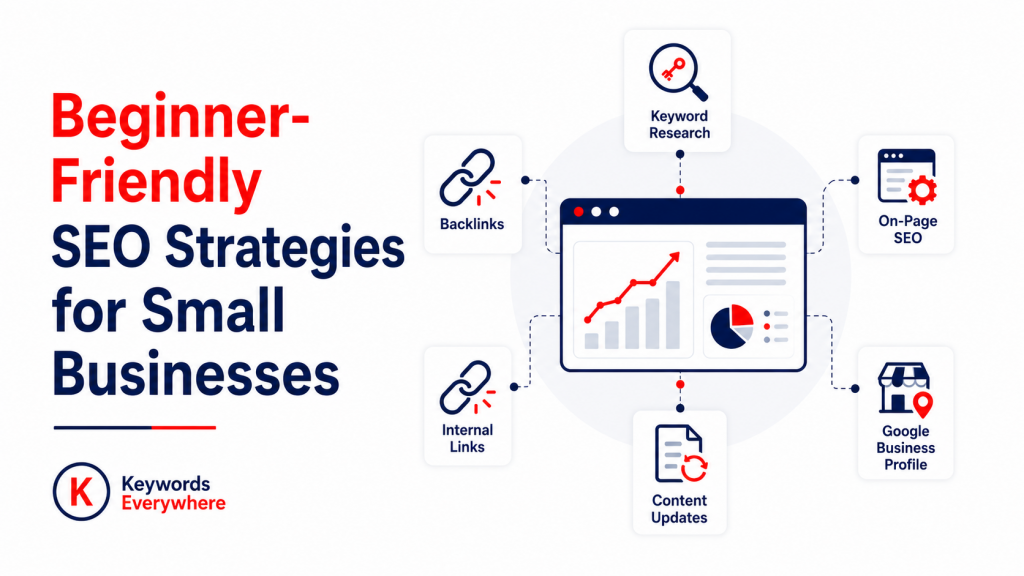
If you’re just starting out, you don’t need to do everything at once. Instead of taking on the full SEO playbook right away, start with the strategies that are most realistic to implement:
1. Content creation
Writing helpful pages based on what your audience is searching for is one of the easiest and most effective ways to start.
2. Keyword targeting (long-tail keywords)
Go after specific, lower-competition phrases first. They are easier to rank for and often bring in more qualified traffic.
3. Local SEO
If you serve a specific area, optimizing your Google Business Profile and local pages can bring quicker wins.
4. Basic on-page SEO
Improving titles, headings, internal links, and content structure is something you can control fully.
5. Refreshing existing content
Updating old pages is more practical than creating new ones and can give you quicker gains. You should still keep creating new content, just do not let content refresh fall off your radar.
Over time, you will probably want to expand beyond these beginner-friendly strategies. Still, the smartest move is usually to start with what you can manage well, then grow into the more technical or advanced pieces later.
And you don’t have to be so set on doing everything alone. Many small businesses keep the basics in-house and eventually bring in help for the harder parts when the time is right. That said, how far you take the DIY route really depends on your time, budget, and how hands-on you want to be.
Hybrid Approach for DIY SEO: Best of Both Worlds
If doing everything yourself feels like too much, and hiring a full SEO agency feels like overkill, there is a middle ground: a hybrid approach.
This basically means you handle what you can in-house, and bring in experts as necessary. It’s a practical setup for small businesses. You keep control, manage costs, and still get professional input where needed.
Here are a few ways to make it work:
1. Create Content In-House, Outsource Technical SEO
For most small businesses, content is the easiest thing to own internally. You already know your products, your customers, and your industry. That makes it much easier to write content that feels real and useful.
Where things get trickier is the technical side like site speed, indexing issues, structured data, audits, and backend fixes. This is where bringing in an SEO specialist can save you time (and a lot of headaches).
This setup works well because:
- You keep your brand voice and messaging consistent
- You publish content faster
- Technical issues get handled properly by someone who knows what to look for
2. Use an Agency for Setup, Then Maintain It Yourself
If you’re starting from scratch, getting an expert to set things up can be a smart move.
An agency or consultant can:
- Audit your site
- Fix technical issues
- Set up analytics and tracking
- Build a clear SEO strategy
- Optimize your key pages
Once that foundation is in place, you can take over the day-to-day work including publishing content, updating pages, and maintaining your site.
This way, you’re not guessing your way through the setup, but you’re also not locked into long-term agency costs.
3. Get Strategy Help, Execute In-House
Another option is to bring in an SEO consultant just for direction.
They can help you with:
- Keyword strategy
- Content planning
- Competitor analysis
- Identifying quick wins
Then your team handles the actual work: writing, updating, optimizing. This gives you expert guidance without paying for full execution. It also helps you build your own SEO skills over time instead of outsourcing everything.
The hybrid route gives you flexibility. You’re not trying to do everything alone, but you’re also not handing everything off.
- You save costs by keeping core work in-house
- You avoid major mistakes by getting expert input where needed
- You build long-term capability instead of relying entirely on an agency
At the end of the day, you don’t have to pick one or the other. For many small businesses, the hybrid approach just makes more sense. Handle what you’re comfortable with, bring in help for the backend and strategy work, and keep things moving.
After all, DIY does not mean doing everything solo. It just means you’re leading the process, and not just outsourcing it blindly. Finding that middle ground can make DIY SEO feel a lot more doable.
FAQs: DIY SEO for Small Business
Is SEO hard to learn?
SEO is not overly difficult to understand. The real work comes from putting it into practice, tracking results, and adapting your strategy as search engines and user behavior continue to change.
How much does DIY SEO cost?
DIY SEO can start out completely free with tools like Google Search Console, Google Analytics, and Google Business Profile. From there, some small businesses add more affordable tools like Keywords Everywhere to make keyword research and page optimization even more manageable without taking on the cost of a full SEO suite.
How long does it take to see SEO results?
Expect to see initial improvements in 3-6 months, with significant results in 6-12 months. Local SEO can show faster results (1-3 months) if you optimize your Google Business Profile properly. The timeline depends on your industry competition, website age, and consistency of effort.
Is DIY SEO worth it for small businesses?
DIY SEO makes a lot of sense for small businesses, especially when the budget is tight. It gives you a way to improve visibility without relying fully on paid ads or expensive retainers. And now that tools and AI have lowered the barrier a bit, it’s more doable than it used to be.
Can I do SEO myself without technical knowledge?
Yes. While technical SEO has a learning curve, the basics (on-page optimization, content creation, local SEO) don’t require coding skills. Plus, modern website platforms like WordPress, Shopify, and Wix have built-in SEO features. For technical issues, tools like Google Search Console can help flag what’s wrong and where to look. All in all, SEO is a lot more doable than many beginners think.
What’s the most important SEO factor for small businesses?
For local businesses, your Google Business Profile is usually the biggest lever you can pull. If you serve a broader area, consistent content built around relevant keywords tends to deliver the strongest long-term results. And whatever the main strategy, a technically sound and mobile-friendly site gives the rest of your SEO a solid base to build on.
How often should I publish new content?
More content is not always better if the quality is weak. A good rule of thumb for small businesses is 2 to 4 optimized posts each month, as long as they’re useful, targeted, and aligned with what your audience is searching for. What matters is whether the content is actually doing its job, not just adding to the pile.
How often should I monitor my website’s SEO performance?
A monthly review is a good baseline for most small businesses, plus lighter weekly checks if you’re actively working on SEO. This helps you catch issues early, track progress, and make timely adjustments without getting overwhelmed.
Can I outsource my SEO if I don’t have the time to do it myself?
Definitely. If time is the main issue, outsourcing can help you keep things moving. A lot of businesses start with expert support for setup or strategy, then handle the day-to-day work internally once the foundation is in place.
Is SEO really worth it for small businesses?
Yes, especially for small businesses that cannot keep pouring money into ads. SEO helps you build a free and steady source of visibility and traffic, and that can become a real advantage over time.
Conclusion
SEO is not overly difficult to learn, especially at a basic level. The real challenge is consistency, learning from results, and adapting as search engines update and competition grows. But DIY SEO for small businesses is not about doing everything at once. It’s about doing the fundamentals well enough, long enough, for them to start paying off. Just keep showing up, keep improving, and let the results catch up.