

In 2025, Keyword Keg migrated into Keywords Everywhere. If you’ve used it before, you’ll now find its features inside the Keywords Everywhere platform. If you’re not yet familiar with the tool, Keyword Keg was designed to make keyword discovery and analysis a lot easier, especially when working through large lists of ideas. It’s best known for its ability to pull autosuggest keyword ideas at scale and convert ideas into target keywords faster.
Here’s how to continue using Keyword Keg via Keywords Everywhere.
How to Access Keyword Keg Through Keywords Everywhere
To launch Keyword Keg, just open Keyword Everywhere’s extension popup and click Keyword Keg:
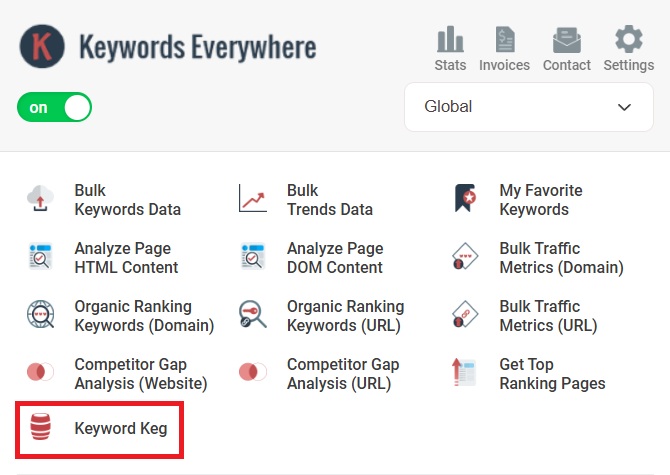


It’s basically the same flow as the original Keyword Keg workflow:
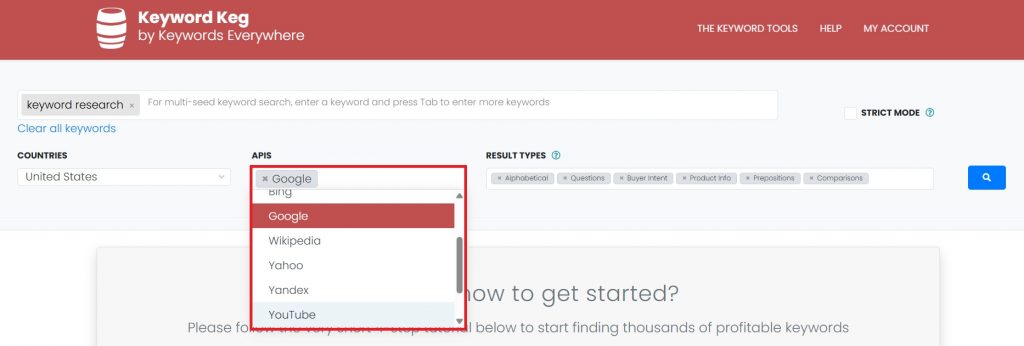
1. Enter your seed keyword (up to 30 seeds).

You’ll also notice the “Strict Mode” toggle. This “Strict Mode” setting is a tighter autosuggest filter.
When it’s ON, Keyword Keg only returns suggestions that closely match your seed keyword, resulting in fewer off-topic variants and usually fewer results.
When it’s OFF, it pulls a broader set of autosuggest variations, which means more ideas, but you’ll need more filtering.
Rule of thumb: keep strict Mode ON for focused, page-level research, and OFF for discovery and expansion.
2. Set the target country. You can also choose “Global”.
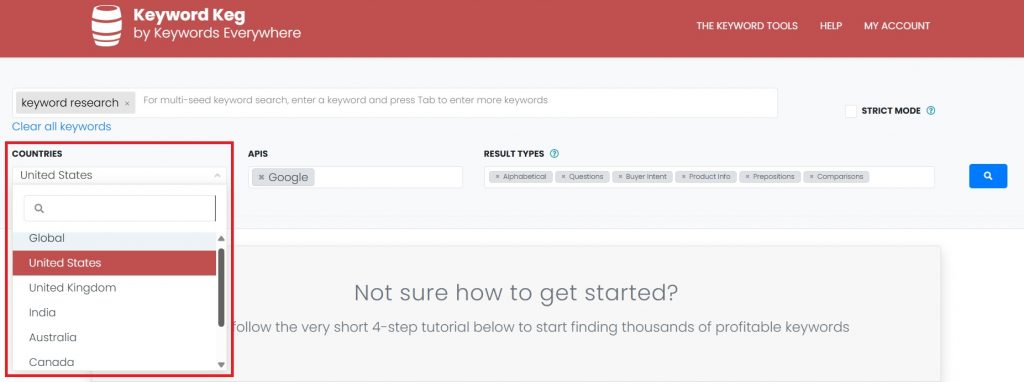
Just take note that for specific location targeting, the keyword database and reporting are currently scoped to a few specific geographies only, including the US, UK, India, Australia, Canada, New Zealand, and South Africa.
3. Choose an API to extract autosuggest-based keyword ideas from.
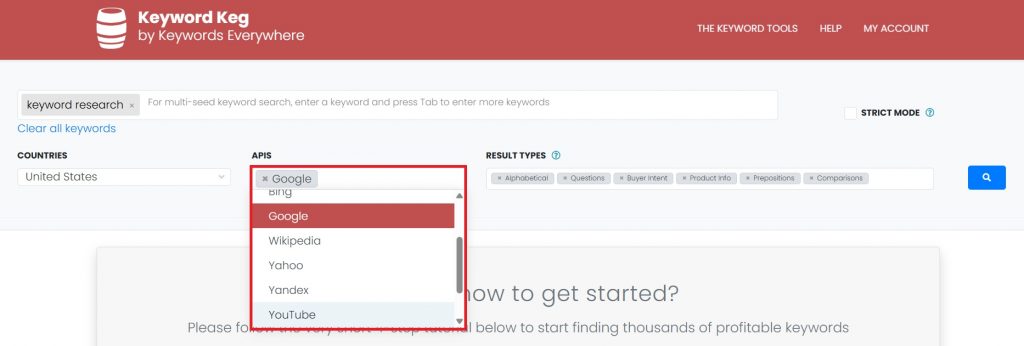
You can choose multiple and can even choose all, but as a general guideline, narrow it down to the platforms that match your target audience and intent. Here are the available APIs:
- Amazon
- Ask
- Alibaba
- Bing
- Wikipedia
- Yahoo
- Yandex
- YouTube
- eBay
- Play Store
4. Choose the Result Type(s).
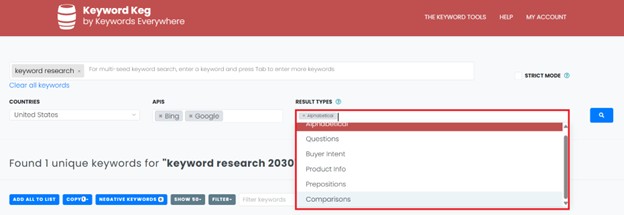
Filtering this helps you steer Keyword Keg toward the intent you’re targeting, so the output supports your content strategy from the start.
Use this as a quick guide:
- Questions → Informational intent
Use for blog posts, guides, FAQs, and “People Also Ask” style sections. Great when you’re building topical coverage and answering queries directly. - Buyer Intent → Transactional intent
Use for “best / buy / price / discount / near me” terms. Best for money pages, landing pages, and product-led content meant to convert. - Comparisons → Commercial investigation intent
Use for “X vs Y,” “alternatives,” and “compare” queries. Perfect for comparison posts, tool roundups, and decision-stage content. - Product Info → Mid-funnel evaluation intent
Use for specs, features, reviews, problems, and “is it worth it” angles. Ideal for product pages, review content, and feature-focused sections. - Prepositions → Long-tail use-case intent
Use for “for / with / without / near / to” phrases that reveal context and edge cases. Great for expanding subtopics, use cases, and supporting sections. - Alphabetical → Broad discovery (mixed intent)
Use when you want the biggest pool of autosuggest ideas, then filter down. Best for early-stage ideation, building clusters, and uncovering unexpected angles.
Just pick the result type that matches the page you’re building (info page = Questions, money page = Buyer Intent, decision page = Comparisons), and you’ll get a cleaner and more relevant keyword list from the start.
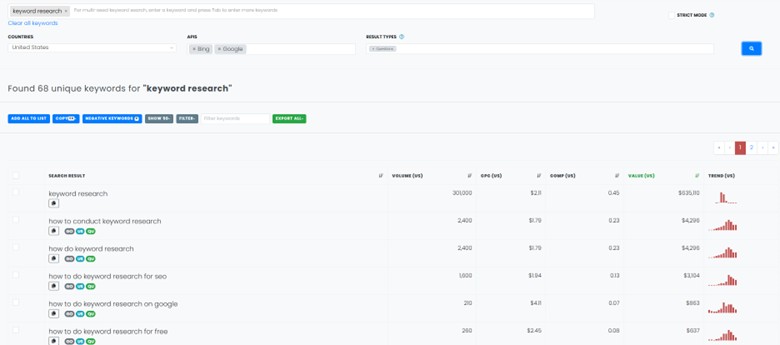
After choosing your filters, just hit the search icon to run the report. From there, you can export the list, copy keywords in bulk, or add promising ones to a saved list for later.
Takeaway
To wrap it up: Keyword Keg now lives inside Keywords Everywhere as part of the newer plan-based feature set. It’s available on Gold (and higher) plans starting at $40/mo, so you access it through the Keywords Everywhere extension instead of the old standalone app.
And versus the old Keyword Keg pricing ($38–$762/mo), you’re basically getting more bang for your buck: Keyword Keg + the wider Keywords Everywhere toolkit in one place.