

Let’s be honest, most of us update our title tags and meta descriptions and just hope they look good in Google. But hoping isn’t a strategy, and that kind of guesswork can cost you clicks.
With our SERP Preview Tool, you don’t have to leave your metadata performance to chance. It’s a completely free tool that lets you preview your title, URL, and meta description in real time so you can optimize confidently before pushing any changes live.
How SERP Preview Tool Works
SERP Preview Tool is a lightweight tool that shows you exactly how your title, URL, and description will appear in search results, on both desktop and mobile.
Unlike other tools that place key features behind paid plans or limit previews, serppreviewtool.com is 100% free, requires no account, and gives you full feature access from the start.
If you’ve used tools like Mangools, SEOmofo, Portent, Yoast, or Rank Math, you’ll recognize the familiar core functionality. SERPreviewTool.com offers the same standard features including snippet simulation, character length guidance, desktop & mobile view toggle, and manual editing of metadata fields.
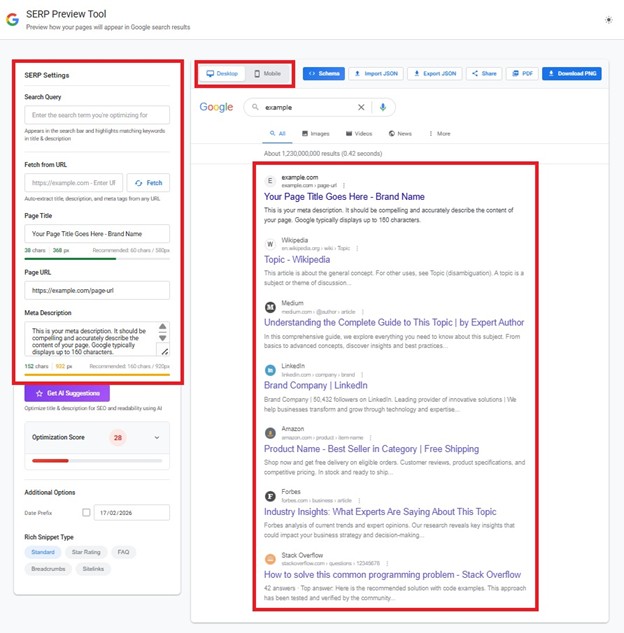


However, our Google SERP Preview Tool doesn’t stop at the basics. It expands the typical preview experience with actionable scoring insights, keyword positioning checks, AI suggestions, schema preview options, and easy export and sharing features— all in one lightweight interface.
What makes SERP Preview Tool stand out:
SERPreviewTool.com expands the traditional SERP preview experience with smarter diagnostics and refinement tools. Here are the the main features that separate it from the rest:
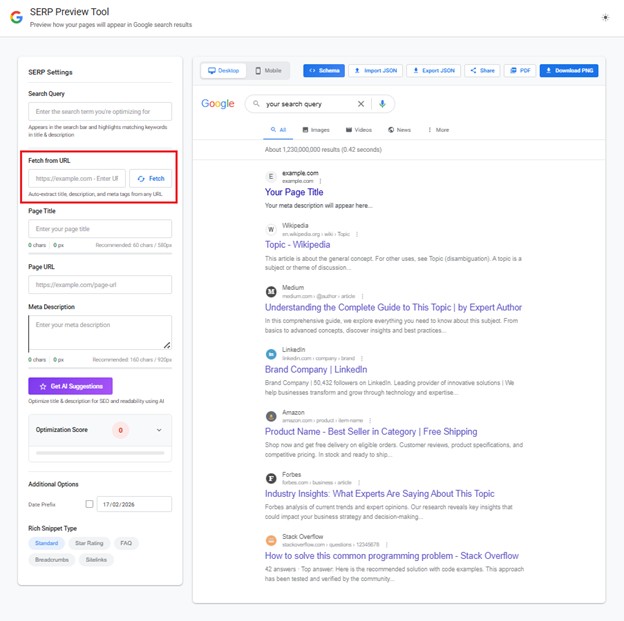
1. Full real-page fetch + live keyword highlight
Most free SERP simulators require you to enter metadata manually to generate a preview. SERPreviewTool.com eliminates that extra step. Simply paste a live URL, and it automatically fetches your existing title, URL, and meta description, then highlights matching keywords directly in the preview for clearer, faster optimization.
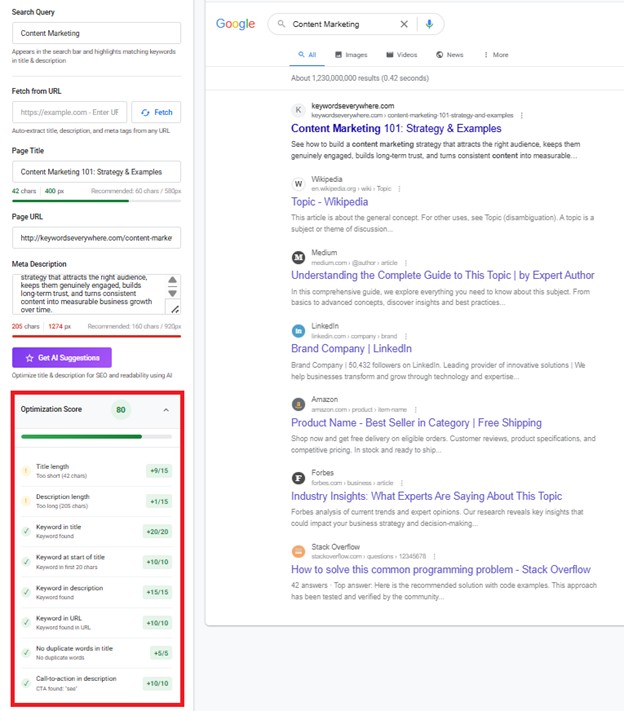
2. Built-in optimization score and checklist
Rather than just showing a basic preview, SERP Preview Tool includes a scoring system and a checklist of issues (missing keyword placement, length problems, duplicate words, lack of CTA, etc.) so you know what needs fixing.
3. AI-powered optimization suggestions
While many snippet simulators only display what you enter, SERPreviewTool.com adds AI-driven recommendations to refine your title and meta description. Just click “Get AI Suggestions,” and if you like what it generates, you can accept each suggestion individually or apply everything in a single click.
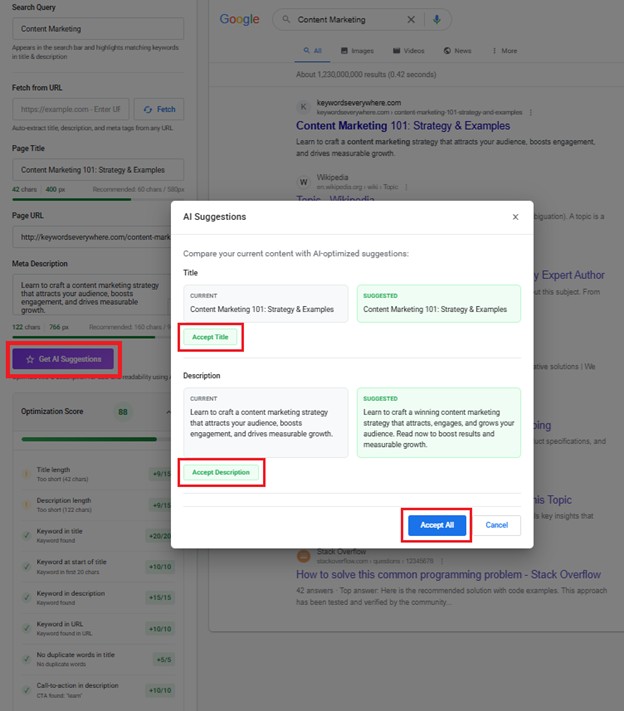
Once accepted, you can immediately see the improvement reflected in your optimization score:
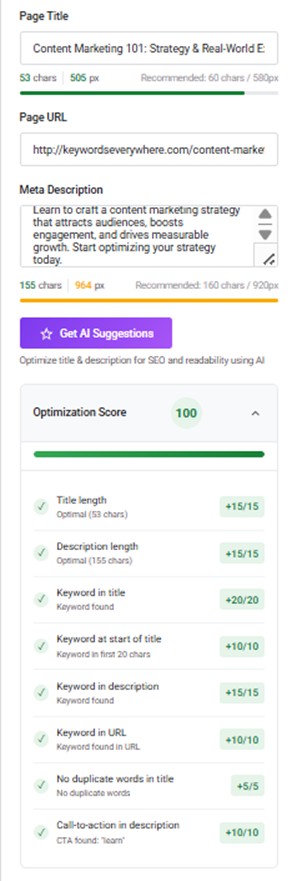
The tool will not always push you to a perfect 100, but it consistently delivers strong, high-scoring suggestions that make your metadata clearer, more strategic, and more click-worthy.
4. Rich snippet & schema preview support
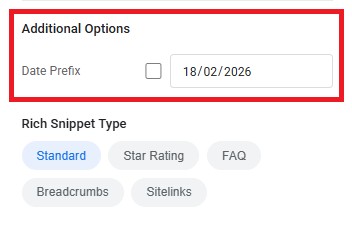
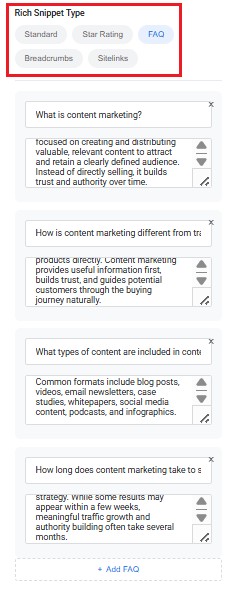
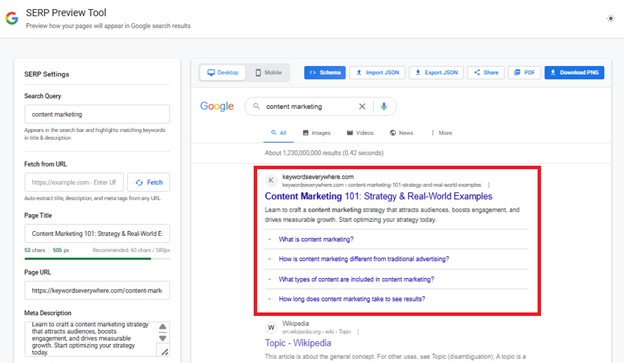
Instead of guessing how rich results might appear, our meta preview tool lets you test them visually. You can turn on review stars, adjust ratings, and simulate additional SERP elements like date prefixes to see how your result stands out.
The tool also creates the corresponding JSON schema markup, ready to copy or download. So you’re not just previewing rich snippets, you’re preparing them for implementation.
5. Export & sharing features
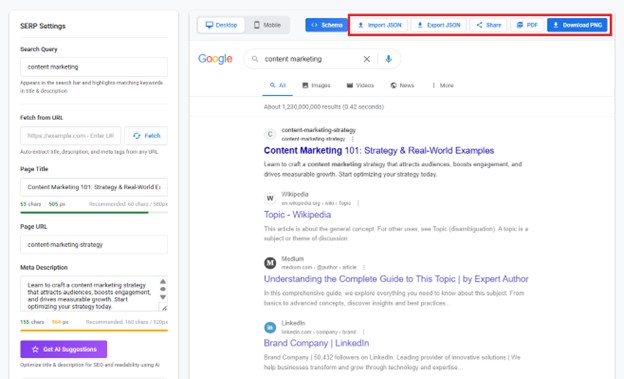
SERPreviewTool.com gives you more than just a visual preview. You can export your setup as JSON, download it as a PDF, generate a PNG image, or share a live preview link directly with others. You can also import a previously saved JSON file to reload an exact configuration without rebuilding it from scratch.
This makes the tool especially useful for agencies, teams, and client workflows. Instead of passing around screenshots or manually rewriting metadata in emails, you can share a structured, reusable preview for feedback and approval. Most basic SERP preview tools only simulate results onscreen and don’t offer import, export, or share functionality at all.
6. Free and lightweight with no account needed
SERPreviewTool.com keeps things simple: no logins, no subscriptions, and no setup required. You can start previewing and refining your metadata in seconds.
At the same time, it offers a broader feature set than most free simulators. With AI-assisted optimization, rich snippet previews, keyword highlighting, and export/share functionality, it combines ease of use with the kind of flexibility usually found in paid tools.
Conclusion
Strong SEO performance often starts with strong first impressions in the SERPs. Before someone reads your content, they read your title and meta description. And that split-second decision determines whether they scroll past or click through.
SERPreviewTool.com gives you the chance to get that moment right. Instead of publishing and hoping your snippet looks good, you can preview, refine, and improve it in advance. It turns metadata optimization from guesswork into a deliberate, controlled process, so every update is focused on performance right from the start.