Competitor Keyword Gap Analysis

A keyword gap analysis is an SEO research method where you find the valuable keywords your competitors rank for, but your own site does not.

It is often one of the first steps in keyword research. It is quick to do, and it lets you benefit from the years of research your competitors have already put in.

The logic is simple. If your top competitors all rank for a certain keyword, it is very likely one they find profitable, so it is probably a keyword you should rank for too. Keywords Everywhere finds exactly those keywords for you, right inside your browser.

How to do a keyword gap analysis

Keywords Everywhere runs the whole analysis for you in three steps.

1

Open Keyword Gap Analysis

Click the "Keyword Gap Analysis" item in the Keywords Everywhere popup menu.
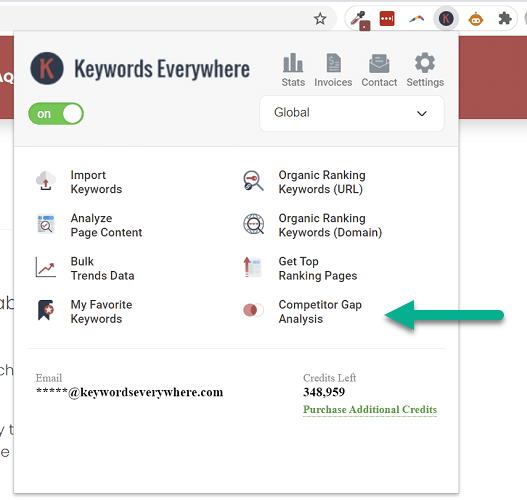
Keyword Gap Analysis menu item
2

Add your site and up to 5 competitors

Type the first few letters of your domain and pick it from the dropdown, then do the same for up to five competitor domains. Just one competitor is enough if you only want the gap between two sites.
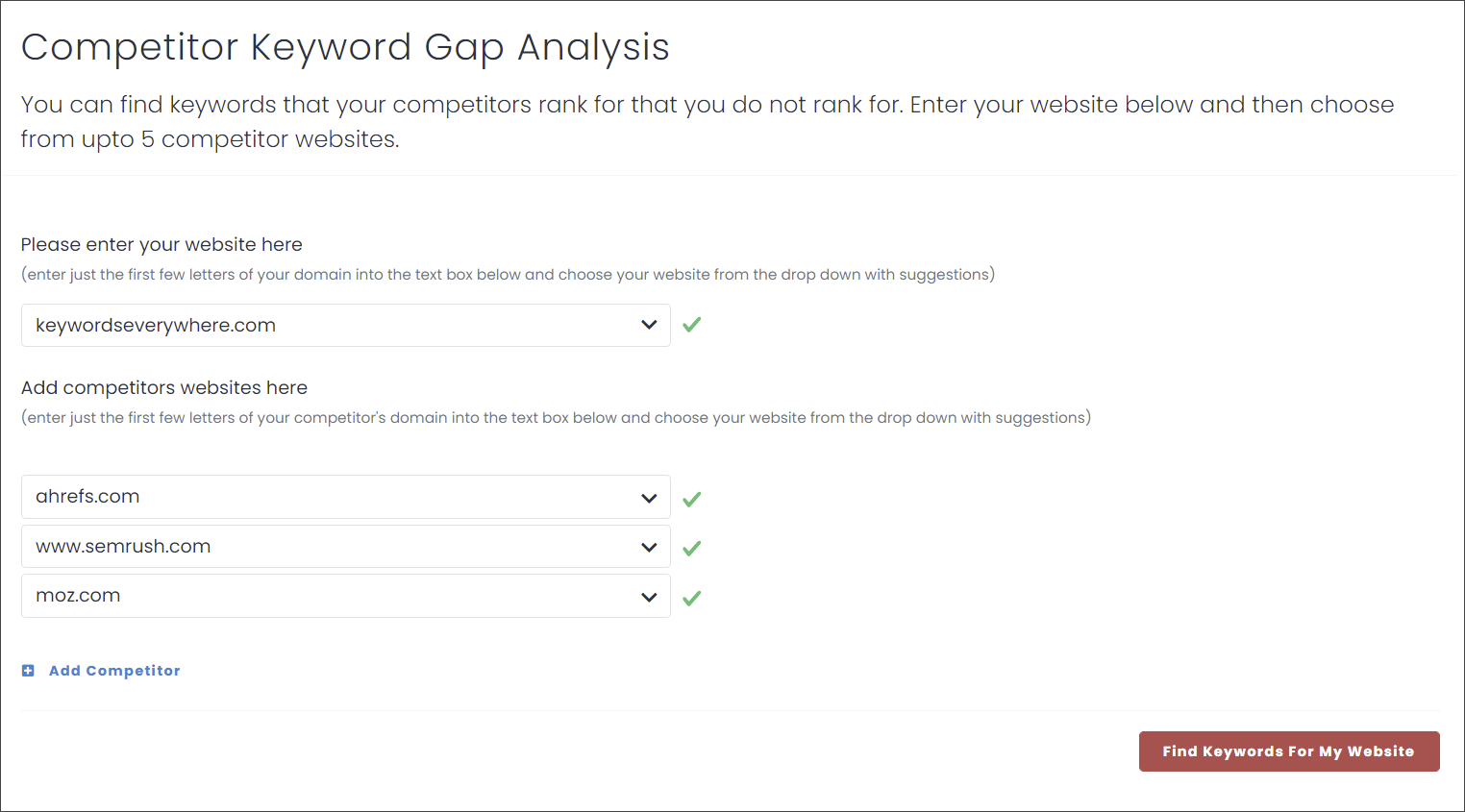
Choosing your site and competitors for the keyword gap analysis
3

Find your gap keywords

Click "Find Keywords For My Website". In a couple of minutes you get the full list of keywords your competitors rank for and you do not, each with its own metrics.
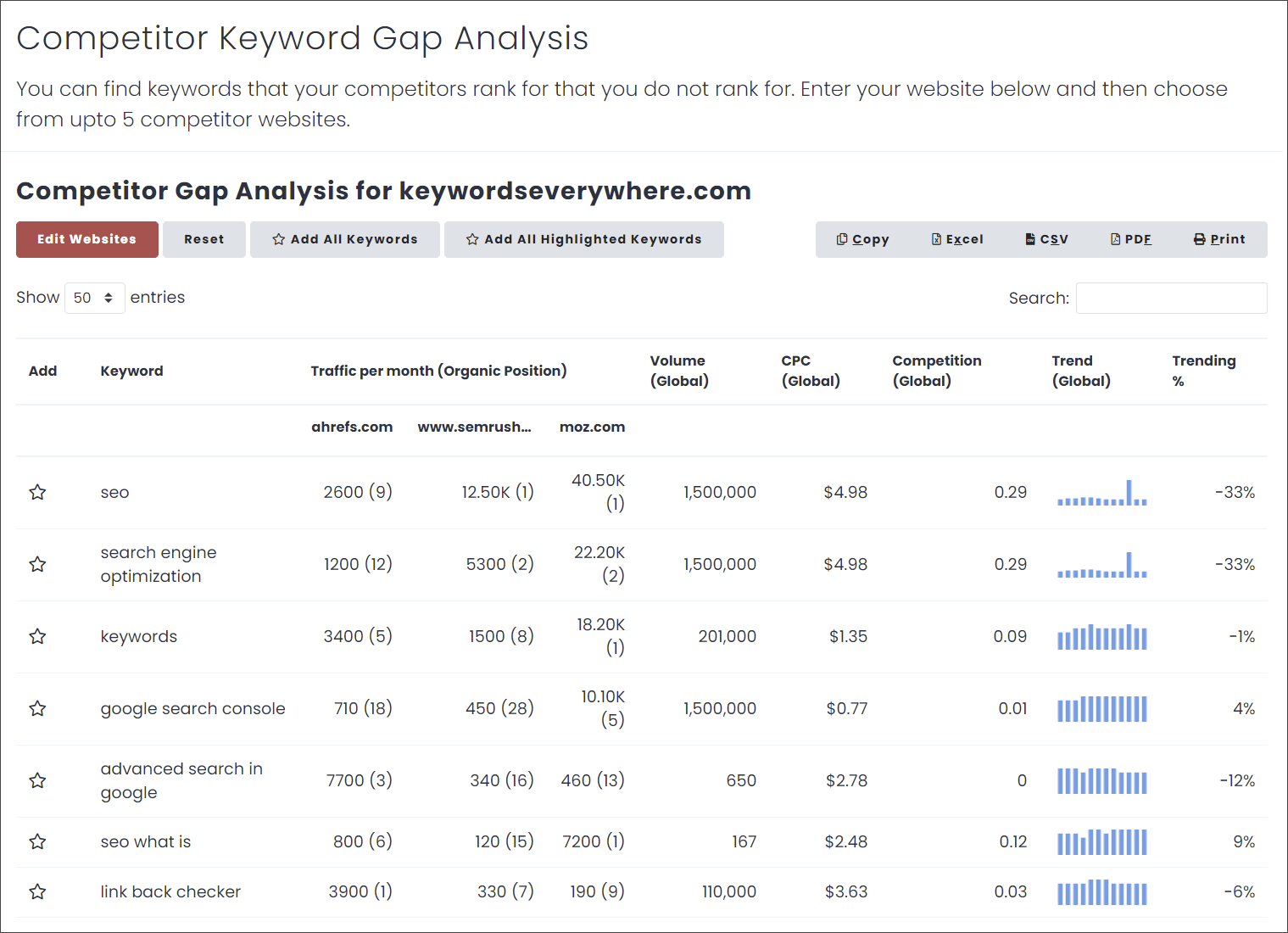
Keyword gap analysis results table

What the results show

For every gap keyword you see each competitor's organic position and estimated monthly traffic, alongside the Google search volume, CPC, competition and 12 month trend for the keyword.

Sort or search the table, export it to Excel, CSV or PDF, or add the best keywords straight to your Keywords Everywhere list to research them further.

To study a single domain in depth instead of comparing several sites, see Organic Ranking Keywords, which lists every keyword one site ranks for. You can also try our free keyword gap analysis tool and competitors finder.

Questions you may have

What is a keyword gap analysis?
A keyword gap analysis is an SEO research method where you find the keywords your competitors rank for but your own site does not. The idea is that if several competitors all rank for a keyword, it is probably bringing them traffic worth having, so it is a keyword you likely want to target too. It is a fast way to benefit from the keyword research your competitors have already done.
How do I do a keyword gap analysis?
With Keywords Everywhere it takes three steps. Open the "Keyword Gap Analysis" item in the extension popup, enter your website and up to five competitor domains, then click "Find Keywords For My Website". After a couple of minutes you get the full list of keywords your competitors rank for and you do not, ready to sort, export or add to your keyword list.
Can I compare the keyword gap between just two sites?
Yes. You can run the analysis with a single competitor to see the gap between just two sites, or add up to five competitors at once for a wider view. Adding more competitors tends to surface the keywords that matter most, since a keyword that several rivals all rank for is usually worth targeting.
What data do I get for each keyword?
For every gap keyword you see each competitor's organic position and estimated monthly traffic, alongside the Google search volume, CPC, competition and 12 month trend for the keyword. You can sort and search the table, export it to Excel, CSV or PDF, or add the keywords straight to your Keywords Everywhere list.
Isn't this just stealing my competitors' keywords?
Not really. The keywords a site ranks for are public information, and a gap analysis simply surfaces the ones your competitors rank for that you are missing. You still have to create better content to actually rank for them. Think of it as research rather than theft, the same way your competitors can see the keywords you rank for.
Is the keyword gap analysis free?
The gap analysis is part of the paid feature set, so it needs a Keywords Everywhere plan with credits, because it pulls the keywords and metrics for several domains at once. The browser extension itself is free to install on Chrome, Firefox and Edge, and you can add a plan whenever you are ready.
How is this different from finding a single site's organic keywords?
A keyword gap analysis compares several sites and shows only the keywords your competitors rank for that you do not, so the list is already filtered down to your gaps. Finding a single site's organic keywords shows everything one domain ranks for, with no comparison. Use the gap analysis to spot opportunities, and the organic keywords report to study one site in depth.